Looking to boost your app's visibility and acquire more users? Our 2025 ASO Report is your ultimate guide to navigating the evolving app store landscape. Packed with data-driven insights, keyword trends, and top-ranking app strategies, this report will equip you with the knowledge to optimize your app's presence and achieve organic growth.
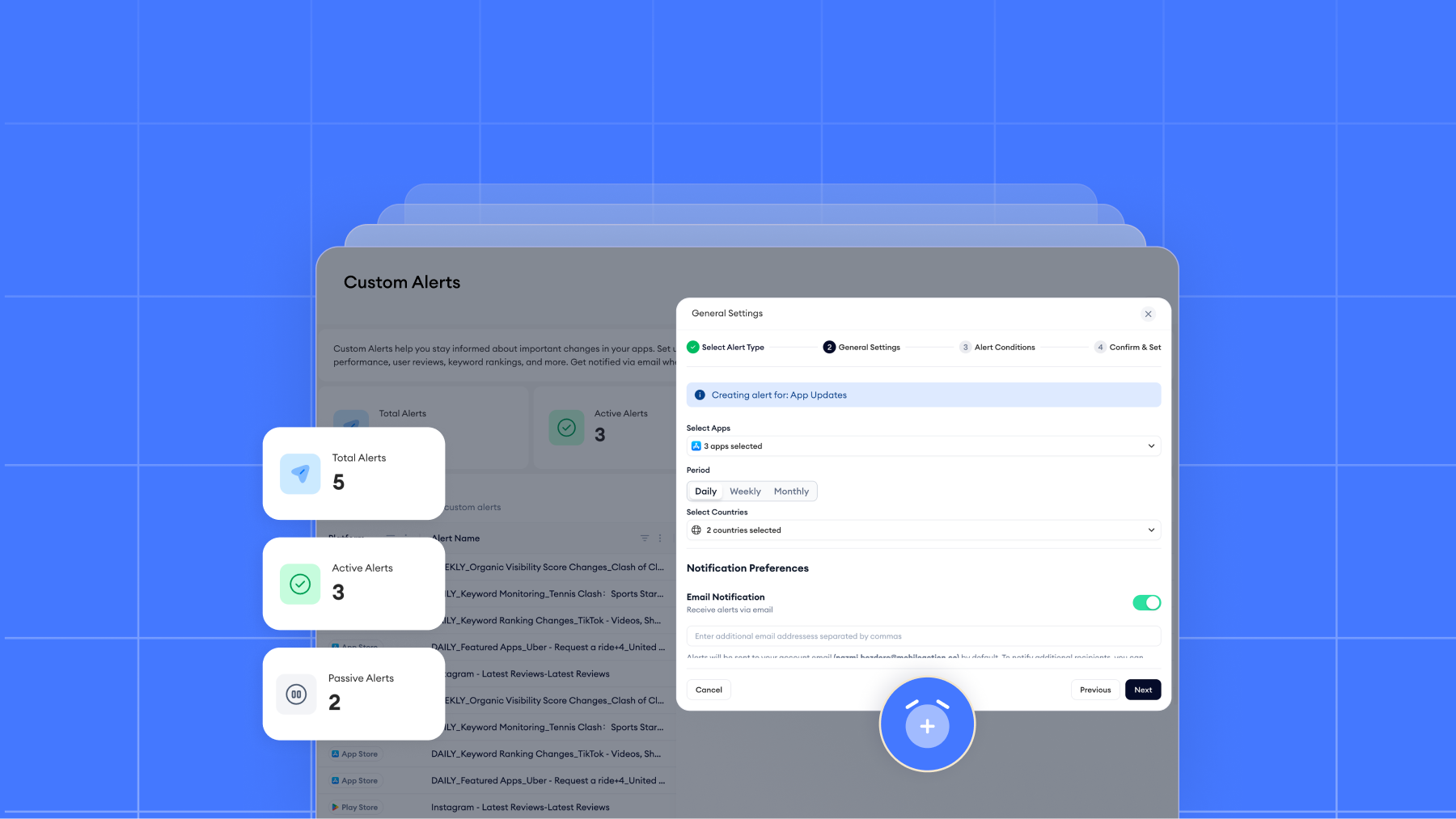
Keeping up with app store changes is critical, but constant dashboard checks and noisy notifications make it harder than it should be. That’s why we’ve updated custom alerts to help app growth teams focus on the signals that truly matter, without distraction.
The refreshed custom alerts experience brings clearer alert logic, stronger filtering, and a more structured setup, so ASO and UA teams can react faster to meaningful changes across rankings, reviews, visibility, and app updates.
Let’s take a look at why we changed it, what’s changed and how it improves day-to-day workflows.
Why we reworked custom alerts
As app portfolios grow and monitoring needs become more complex, alerts can easily turn from a helpful signal into background noise. Over time, we saw two clear challenges emerge.
From a usage perspective, the previous alert flow wasn’t always flexible enough for how teams actually work. Alert types didn’t fully cover all monitoring needs, and creating or adjusting alerts required more effort than necessary. In some cases, this issue led to alerts being underused or ignored altogether. In others, teams compensated by setting up broad alerts, which increased notification volume and contributed to alert fatigue rather than clarity.
From a technical perspective, different alert types were built on shared creation logic, even though they tracked very different events. This limited how precise conditions could be and made it harder to align alerts with real ASO and UA workflows. As a result, some alerts couldn’t offer the level of control users expected, while others produced notifications that were difficult to scan, especially in Slack.
Taken together, these limitations pointed to the same conclusion: alerts needed to be more intentional, more configurable, and easier to interpret at a glance.
What’s changed and how it’s improved
The updated custom alerts experience is built around a clearer, more focused monitoring model.
A more consistent monitoring framework
Custom Alerts now follow a more app-centric monitoring model.
Alerts can only be created for apps already in your tracked list. While this may feel like a limitation at first, it creates a much more consistent monitoring experience by keeping alerts aligned with your active workspace. Category- and publisher-level alerts have been removed in favor of app-level tracking, allowing for more precise and relevant signals.
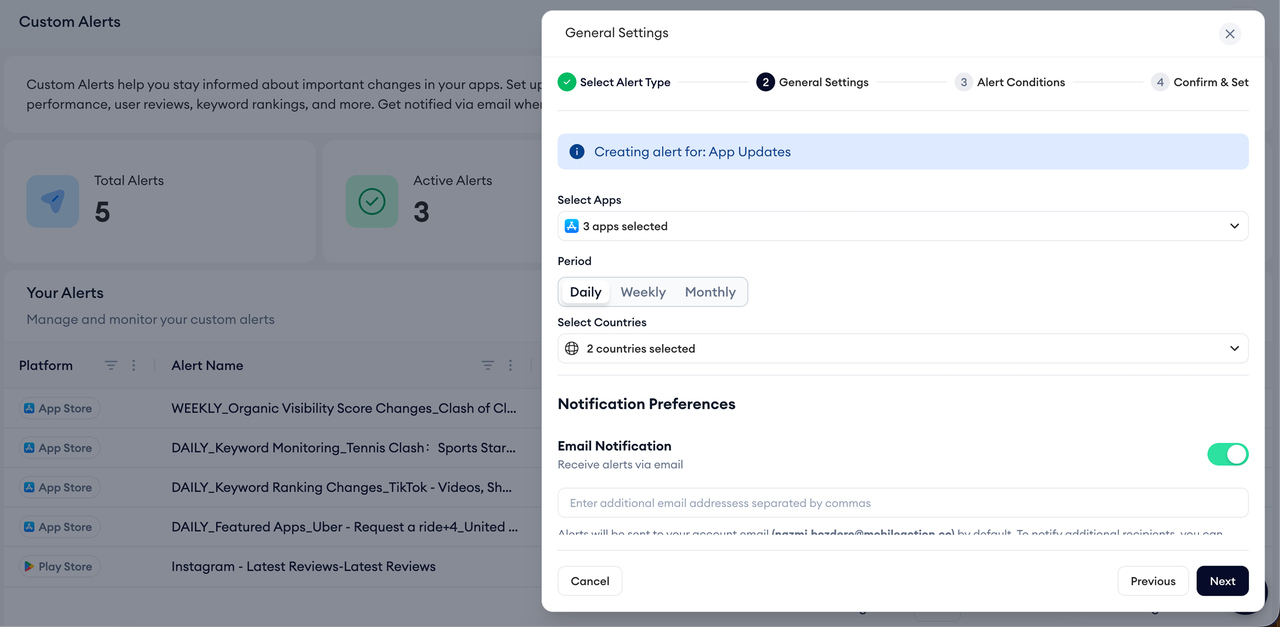
To keep notifications readable, limits are applied to the number of apps and countries per alert, ensuring that email and Slack messages remain easy to scan rather than overloaded with data. Alert creation has also been simplified into a single, dedicated flow per alert type, replacing the previous multi-alert setup and allowing each alert to support the configuration it actually needs, whether that’s rating-based filtering or ranking thresholds.
Navigation has been consolidated as well, guiding users through a clear entry point so alerts are always set up correctly. Existing alerts created before the update continue to run as usual. However, they can’t be edited. If you disable one, you’ll need to recreate it using the updated flow to take advantage of the new configuration options.
A clearer setup flow, from start to finish
Creating alerts is now a guided, four-step process. Each alert type now has its own dedicated setup flow, allowing configuration options that match the signal being tracked. Keyword alerts, review alerts, visibility alerts, and update alerts no longer rely on shared logic.
That means:
- Keyword alerts can be based on rank thresholds or movement size
- Review alerts can focus only on specific star ratings
- App update alerts can be limited to certain metadata or creative changes
Before activating an alert, you can preview the notification layout to understand what kind of insight you’ll receive. Once set, each alert includes its own email log, making it easier to review past triggers in context instead of searching through a global log history.
This structure helps teams create alerts with confidence and revisit them later without confusion.
New and revisited alert types
Several overlapping or low-value alert triggers have been consolidated, reducing notification fatigue and making room for alerts that highlight meaningful changes. Instead of reacting to every movement, teams can now define thresholds and filters that align with how they actually work.
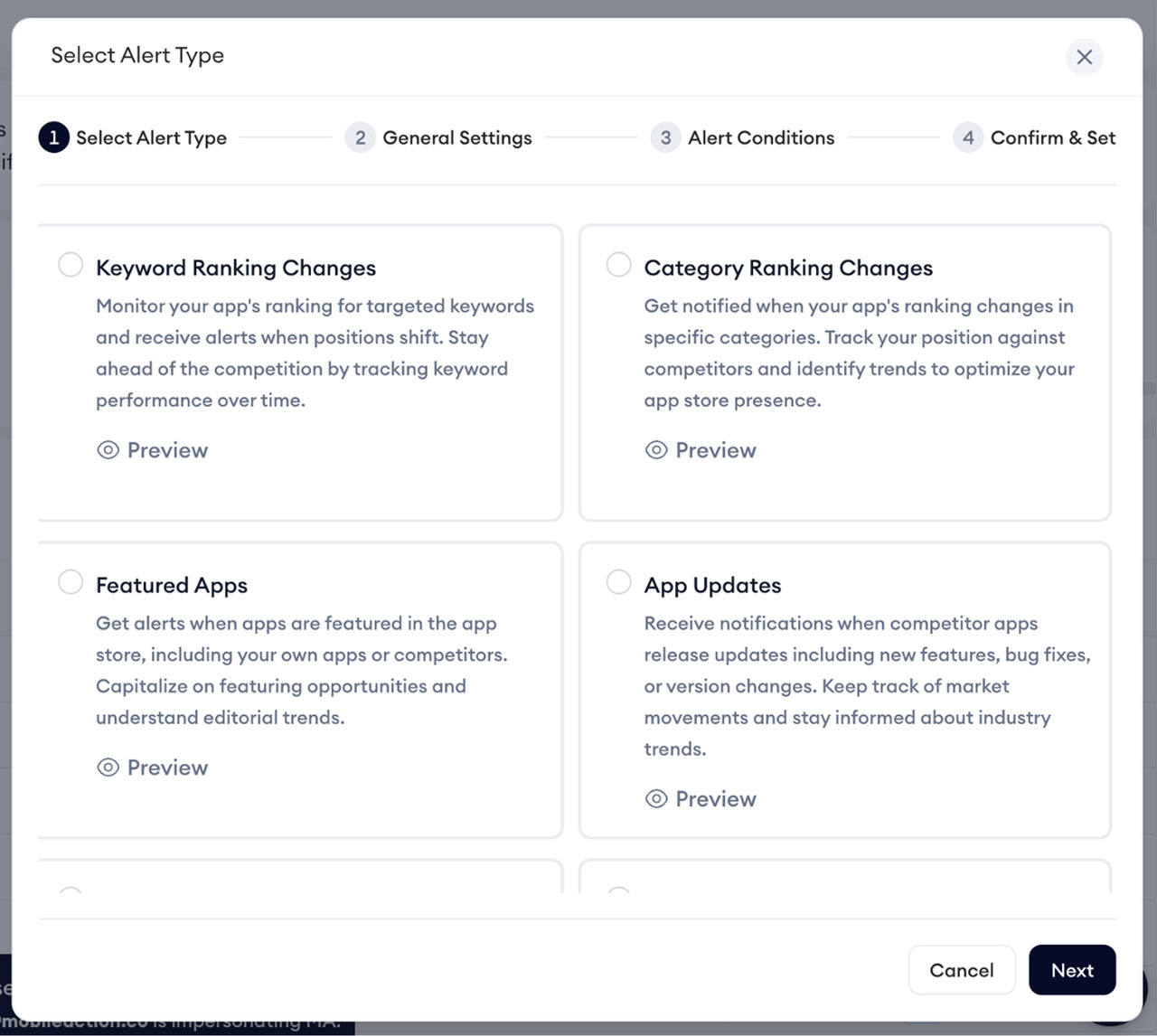
Here are all the alert types that can be utilized after this update:
- Organic Visibility Score Change gives a high-level view of organic performance shifts, helping teams spot impact after metadata or store changes without tracking individual keywords.
- Keyword Monitoring focuses on selected keywords only, combining rank movement with search volume and competitive context so teams can prioritize what truly matters.
- Keyword Ranking Changes offer more control over how movement is tracked, allowing teams to define thresholds instead of reacting to every minor fluctuation.
- Reviews are consolidated into a single alert with a rating filter, making it easier to focus on feedback that requires attention.
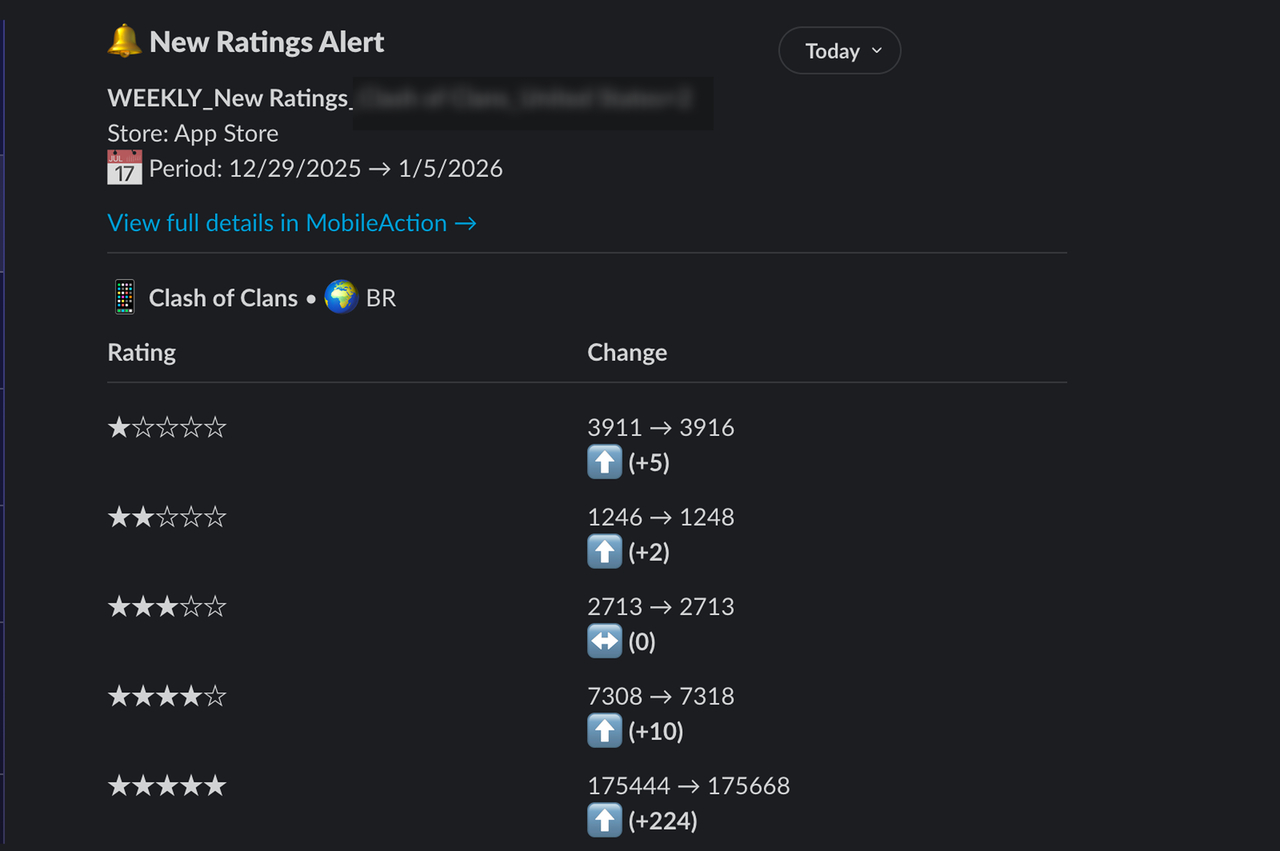
- Ratings separate rating trends from written reviews, helping teams track store reputation more clearly over time.
- Category Ranking Changes provide clearer signals around category performance, with configurable movement thresholds.
- App Updates allow teams to monitor specific types of changes, such as metadata or creative updates, instead of receiving broad update notifications.
- Featured Apps track App Store featuring activity with clearer terminology and structure, making it easier to follow visibility changes.
So basically, the result is 8 alert options with clearer intent, and notifications that are easier to interpret and act on.
Slack notifications are refined, too
Notifications have been improved with readability in mind, especially for teams relying on Slack to stay aligned. Alerts sent to Slack are now displayed in structured tables, making it easier to scan changes across multiple apps or countries at a glance. Instead of long text blocks, key details are grouped clearly so teams can quickly understand what changed and whether action is needed. Each alert also includes its own log, allowing teams to review past triggers in context.
Built for real ASO and UA workflows
These updates make custom alerts easier to use across different roles:
- ASO managers can monitor organic visibility, keyword movement, and category performance with clearer thresholds
- UA managers can keep an eye on store reputation and keyword shifts without constant checks
- Teams managing multiple apps and countries can stay aligned with structured, readable alerts
The focus is no longer on more notifications, but on better ones.
Alerts that fit your workflow, not the other way around
The updated custom alerts experience is built to support real app growth workflows, helping teams stay informed without constant dashboard checks or unnecessary noise. With clearer alert logic, more focused conditions, and a more structured setup, alerts are easier to configure and easier to act on.
The best way to understand the difference is to try it yourself. Set up a few alerts, adjust the conditions, and see how quickly meaningful signals stand out in your day-to-day work.
If you’re not yet using MobileAction, book a demo now and explore custom alerts in action. Build alerts that fit your workflow, cut through notification noise, and give you a clearer view of what’s happening across your apps.

Resources that you'll love
Grow your app on the App Store and Google Play Store with our solutions now