












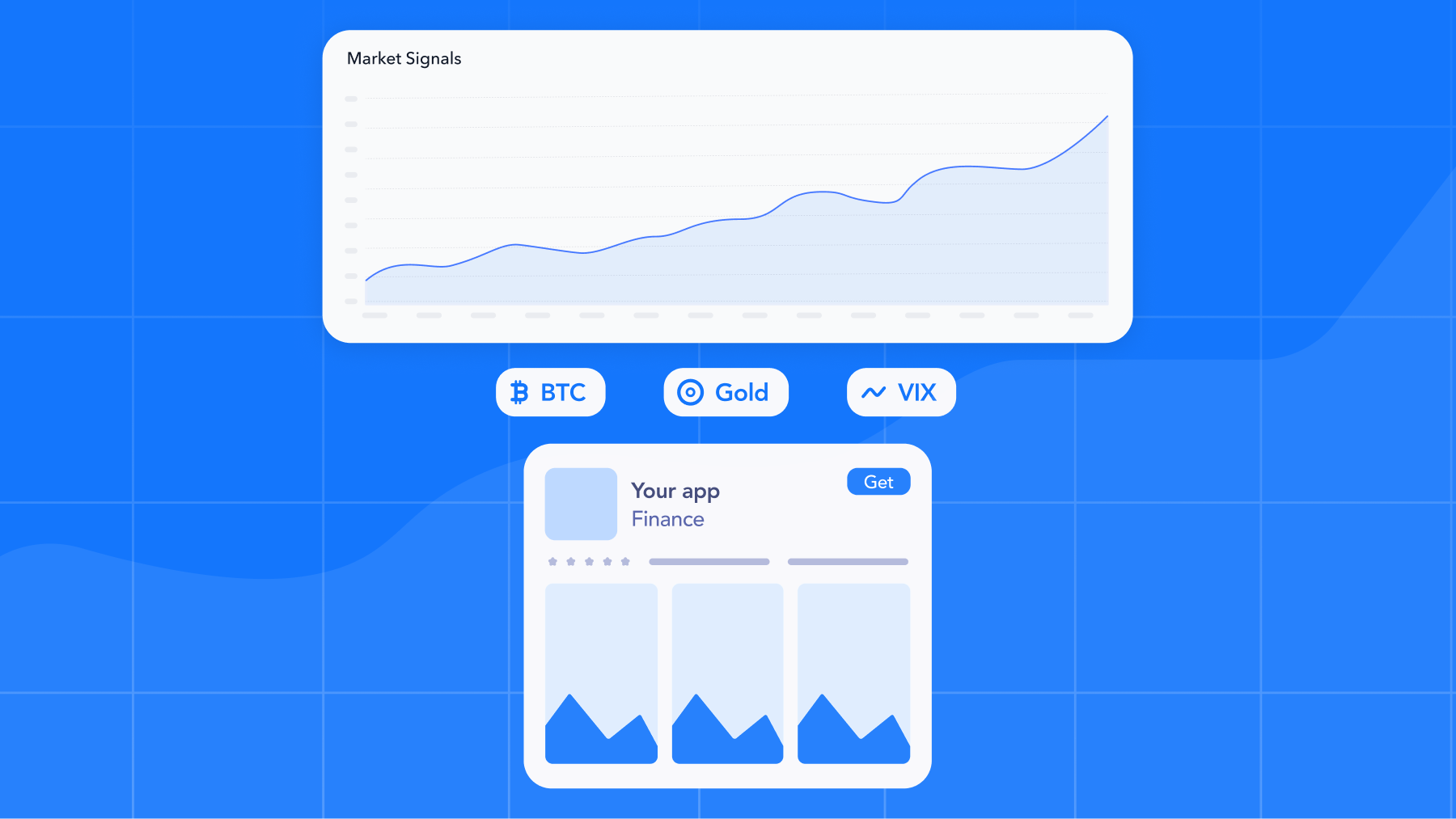
For finance, trading, and crypto apps, install demand tracks the market. A sharp cryptocurrency move, rising gold prices, or a sudden increase in expected volatility may change what people search for, which products interest them, and how urgently they look for an app.
The challenge is speed. Manually reviewing market prices, checking Apple Ads performance, updating bids and budgets, and choosing the right custom product page can take too long across multiple campaigns and countries or regions.
MobileAction’s Automations connects external market signals with Apple Ads campaign decisions. Teams can create rules around cryptocurrency prices, gold (XAU), and VIX data, then use those signals to control bids, budgets, campaign status, notifications, or the custom product page activated for an ad.
Key takeaways
- Cryptocurrency prices, gold, and VIX can be used as conditions within MobileAction’s Automations.
- Advertisers can define the movement, period, threshold, scope, action, and execution frequency that fit their strategy.
- Available actions depend on the Apple Ads level selected for the automation.
- Bid, budget, and custom product page responses may require separate automations operating at different levels.
- Starting with a limited scope and reviewing automation logs helps teams introduce these strategies more safely.
Build rules on the signals your category actually moves on
Most automation tools hand you the same standard set of performance metrics. Useful, but they say nothing about the events that drive demand for a finance or trading app.
MobileAction’s Automations let you set conditions on the market signals that matter in your space:
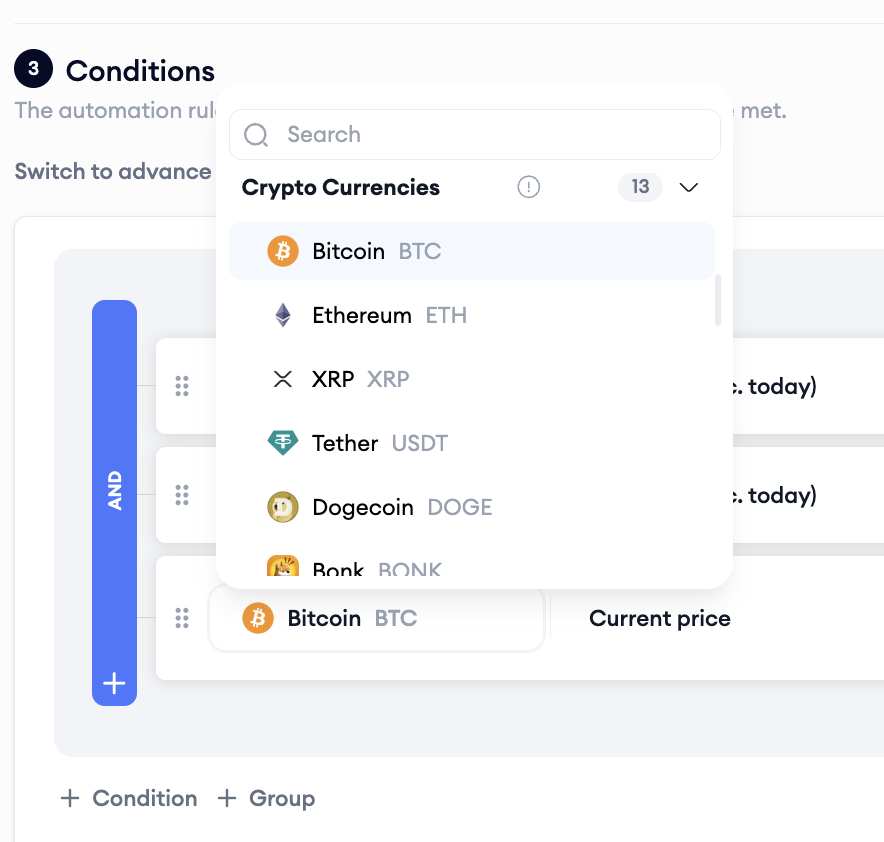
- Cryptocurrency metrics, including Bitcoin, Ethereum, Tether, and more
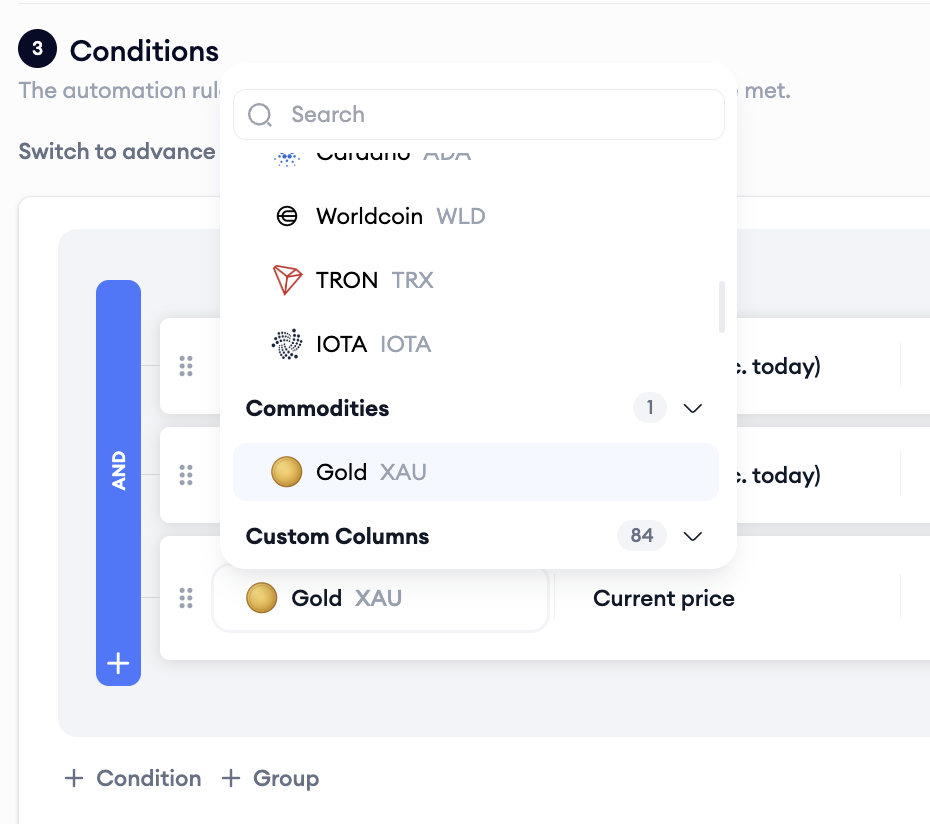
- Gold (XAU)
- VIX
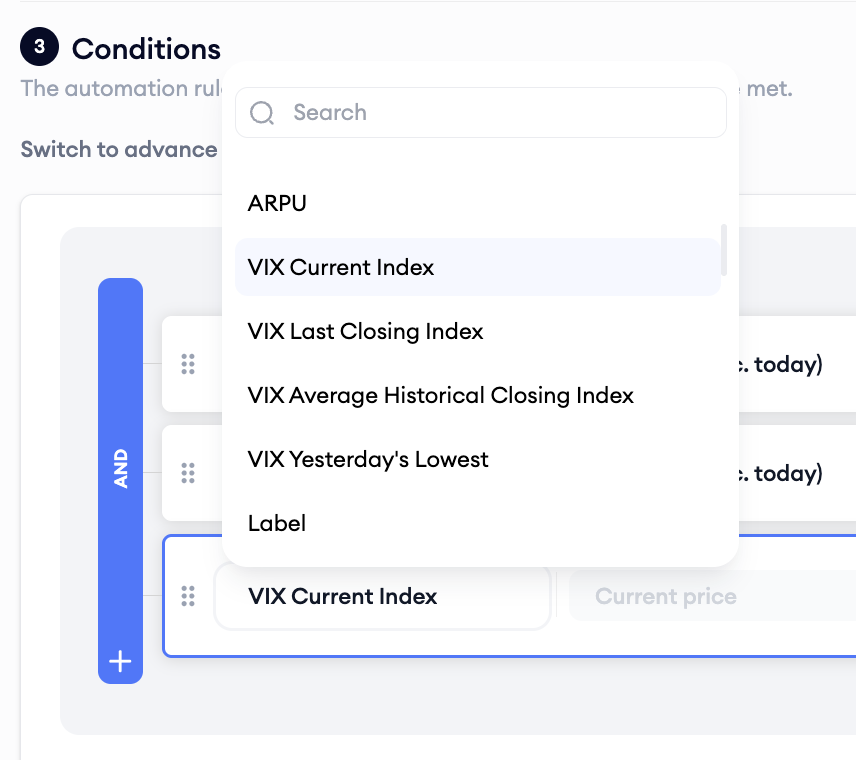
You define the level or movement that matters to your strategy. For example, an automation can respond when Bitcoin rises above a selected price or when VIX reaches a level associated with greater market volatility.
Market signals are one of six condition categories available in Automations. You can also use Apple Ads metrics, MMP data from your attribution integration, custom metrics for your own KPIs, and organic performance metrics such as Organic Rank and Keyword Popularity.
Market signals can also be combined with performance conditions. For example, an automation could respond only when Bitcoin is above a selected level and campaign performance remains within your target. Conditions can be connected using AND when every condition must be met, or OR when any one condition is enough.
For detailed information about condition settings, evaluation periods, comparisons, and available actions, read our comprehensive guide to getting started with Apple Ads automations.
Move bids, budgets, and your custom product page around the same signal
A market move rarely calls for a single response. The same signal can drive automations across your whole account, each matched to what its level can do:
- Campaign level: Rules change daily budgets, and can pause or activate campaigns, in response to any signal you choose.
- Ad group and keyword level: Rules adjust bids, pause or activate entities, and apply labels so you can track what the automation touched.
- Ad level: A rule activates the custom product page that fits the moment, down to the individual ad. For this action, point a rule at the custom product page you want live, and MobileAction’s automations activate the ad behind it, creating one for you if it does not exist yet. There is no manual setup before the rule can run.
For a broader explanation of how custom product pages work, how they support different audience intents, and how they can be used across Apple Ads campaigns, explore our comprehensive guide to custom product pages.
For example, a rise in Bitcoin could trigger controlled bid increases for performing keywords, raise the budget of a campaign approaching its daily limit, and activate a crypto-focused custom product page. If an ad for the selected page does not already exist, MobileAction can create it when the rule runs.
An automation like this allows ad spend and creative to respond to the same market movement, while each automation remains focused on the action its level supports.
For a wider view of how campaign structure, bidding, budgets, placements, and performance measurement work together, explore our comprehensive 2026 Apple Ads guide.
What this looks like in practice
Imagine a trading app that sees stronger demand for cryptocurrency-related searches when Bitcoin rises sharply.
The team could create separate automations around the same Bitcoin condition:
- A keyword-level automation increases bids for high-performing crypto keywords while CPA remains within the target.
- A campaign-level automation raises the daily budget when the campaign is performing well and approaching its current limit.
- An ad-level automation activates a custom product page focused on cryptocurrency trading.
- A notification rule alerts the team when the market condition is met, but campaign performance does not justify increasing spend.
The team can also create separate recovery automations that return bids, budgets, and creative to their usual settings when Bitcoin falls below a lower, non-overlapping threshold.
The same approach can be applied to Gold or VIX. The signal and campaign scope may change, but the principle stays the same: respond to market demand only when the relevant campaign conditions support the action.
Always know what your rules did
Automation logs give you visibility into how each rule operates. You can review which actions were taken, why they were triggered, and when a rule evaluated the conditions but took no action.
Ad variation activation is a good example of that protection in practice. If the custom product page a rule targets is already in a running or scheduled A/B test, the rule skips it, takes no action, and writes a warning to the logs explaining why. Your test keeps running, your data stays clean, and you still have a record of what the automation evaluated.
Best practices for a safe rollout
Market signals are powerful because they move fast, which is also why a careless rule can act fast in the wrong direction. A few habits keep your automations safe:
- Start with one or two conditions. A rule you can reason about is a rule you can troubleshoot. Add conditions only when you are sure each one is necessary.
- Begin with notifications. An email or Slack alert on a Bitcoin threshold teaches you how often the signal fires before you attach a bid or budget change to it.
- Set thresholds with headroom. A rule that triggers on every 1% wiggle will act on noise. Anchor thresholds to moves that genuinely shift demand in your category.
- Match the lookback window to the signal. Market conditions default to the current price. If you use custom timeframes, make sure the window matches how quickly your category reacts.
- Review the logs weekly. Confirm the actions taken match your intent, and check the no-action entries to understand what the rule chose to skip.
- Let opposing rules balance each other. Pair a scale-up rule with a pull-back rule at complementary, non-overlapping thresholds, so spend comes back down as reliably as it went up.
For broader guidance on campaign structure, bidding, keyword strategy, creative optimization, and performance management, explore our Apple Ads best practices for 2026.
Connect market signals to your Apple Ads strategy
With Automations, you can build coordinated responses across your account: adjust bids and budgets, pause or activate campaigns, receive notifications, and activate the custom product page that matches the market moment. Where supported, you can also combine market signals with campaign performance conditions, so actions are taken only when both demand and opportunities justify them.
You remain in control of the signal, threshold, campaign scope, action, and execution frequency. Automation logs then show what happened, why it happened, and when a rule chose not to act.
Book a demo today and explore MobileAction’s Automations and build a response around the market signal that matters most to your app.
Frequently asked questions
Which market signals can be used in MobileAction’s Automations by finance apps?
You can create conditions based on cryptocurrency prices, including Bitcoin and Ethereum, as well as Gold (XAU) and VIX data. The exact signal, threshold, comparison, and evaluation period are defined when the automation is created.
Can market signals be combined with Apple Ads performance data?
Yes. Where the selected automation level supports those metrics, you can combine market conditions with Apple Ads, MMP, custom, or organic performance conditions using AND or OR logic. For example, a rule could increase a keyword bid only when Bitcoin is above a selected level and keyword CPA remains within target.
Can one automation change bids, budgets, and custom product pages?
Not always. Available actions depend on the Apple Ads level selected for the automation. Budget changes are configured at the campaign level, bid changes at the ad group or keyword level, and custom product page activation at the ad level. A coordinated strategy may therefore require separate automations responding to the same market signal.
How often can an automation evaluate a market condition?
You define the execution frequency when setting up the automation. The appropriate frequency depends on how quickly the signal changes and how often you want the related campaign action to occur. A condition may be checked frequently, while budget or bid changes are scheduled more conservatively.

Resources that you'll love




Grow your app on the App Store and Google Play Store with our solutions now