




Looking to boost your app's visibility and acquire more users? Our 2025 ASO Report is your ultimate guide to navigating the evolving app store landscape. Packed with data-driven insights, keyword trends, and top-ranking app strategies, this report will equip you with the knowledge to optimize your app's presence and achieve organic growth.
Improving your app store rating is not just about asking users for five stars; it’s about managing user satisfaction at every step. Strong iOS app ratings and Google Play app ratings come from a combination of product quality, well-timed rating prompts, and a consistent review management strategy.
In this blog, we’ll show you how to improve app store rating for both iOS and Google Play by understanding user feedback, addressing root issues, and leveraging data-driven tools to boost trust and installs.

Why app store ratings matter
App store ratings are one of the strongest levers for app growth. A higher rating improves user trust, visibility, and conversion rates. In fact, about 79% of users check app ratings and reviews before downloading. A good Google Play Store app rating or iOS rating signals quality and encourages more installs. Ratings also compound: more installs lead to more ratings, which in turn attract more users.
From an ASO (App Store Optimization) perspective, apps with more and higher ratings tend to rank higher in search results on both the Apple App Store and Google Play. For users, the average star rating and the total number of ratings together tell a story; the star average shows overall satisfaction, while the count of ratings adds credibility. Clearly, improving these metrics can create a positive cycle of growth for your app.
iOS vs. Google Play: Understanding Rating Systems
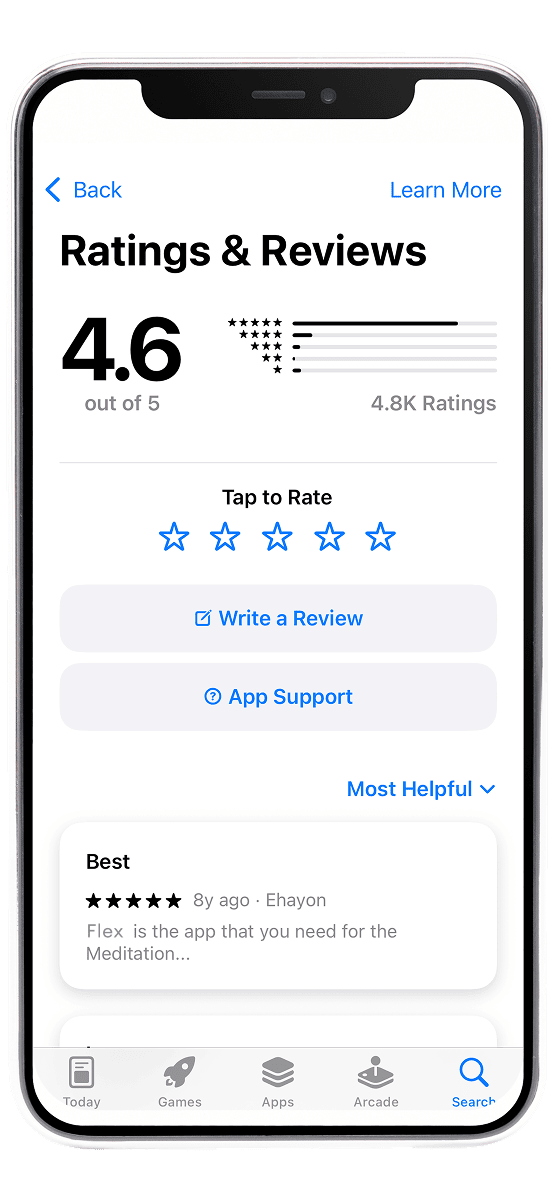
Before learning more on how to improve app store ratings, it’s important to know how ratings work on iOS vs. Android:
- iOS App Ratings: Apple calculates a simple average of all user ratings (on a 1–5 star scale) and displays this on your App Store page. Ratings are specific to each country’s App Store, and importantly, Apple allows developers to reset their app’s rating when submitting a new app version. Resetting wipes the star average (so new ratings start fresh) but does not remove existing user reviews. This is usually only wise if you had a streak of bad ratings in the past and have since overhauled the app, otherwise, losing a large volume of positive ratings can hurt more than help. Apple also introduced in-app rating prompts (via SKStoreReviewController), which let users rate the app without leaving it. However, Apple limits these prompts to 3 times per user per year, and calling the API doesn’t guarantee the dialog will show every time. Apple recommends asking for ratings at “happy moments” in the app when users are most satisfied.
- Google Play App Ratings: Google Play also uses a 5-star system but with a twist, the average rating is weighted toward more recent ratings. This means that if you improve your app, new positive ratings can raise your average faster (and conversely, recent negative ratings can drag it down). Unlike Apple, Google does not allow resetting the rating on app updates. Your Google Play rating is a dynamic average that reflects the latest user sentiment. Google provides an in-app review API as well, enabling users to submit ratings without leaving the app. This API similarly has internal quotas to avoid over-prompting users (comparable to Apple’s limits). Both stores allow each user to update their rating, so a user who left 3 stars can potentially change it to 5 after an update, a key reason to engage with feedback and continually improve.
Additionally, both platforms publish user reviews alongside ratings. App reviews provide qualitative insight and often influence potential downloaders even more than the star count. Apple’s App Store and Google Play Console both let developers reply to reviews publicly, and these responses are visible to other users. In fact, on iOS, reviews that have a developer response are shown ahead of reviews without a response on your App Store page. This emphasizes how active engagement can shape public perception.
Common reasons for poor app ratings
If your app’s ratings are low, it’s essential to diagnose why. Ratings are basically a signal of user satisfaction (or frustration). Here are some common reasons apps get hit with negative ratings and reviews:
- Poor Performance (Slow Speed): Users hate slow apps. If your app takes too long to load or lags during use, users may abandon it and leave low ratings out of frustration. No one likes staring at a spinner – speed matters.
- Lack of Responsiveness: A glitchy or non-responsive UI (taps not registering, buttons freezing) will spoil the user experience. Users expect smooth interactions; when an app feels clunky or unresponsive, they often vent by leaving a bad review.
- Crashes and Bugs: Frequent crashes or serious bugs are one of the fastest ways to earn one-star reviews. If your app crashes during normal use, users will not hesitate to express their anger in the ratings.
- Excessive Battery Drain: Apps that hog battery or cause devices to heat up will quickly irritate users. No one wants an app that drains 20% of their battery in the background – these apps often get uninstalled and slapped with a low rating.
- Poor Support or Unaddressed Issues: When users encounter problems and can’t find help, they feel ignored. An app with no support contact or FAQ, or a developer who doesn’t respond to issues, can accumulate negative reviews from frustrated users.
- “Silent Majority” Effect: Typically, only a small fraction of users rate an app, and those motivated to rate are often either very happy or very unhappy (the extremes). If you’re not proactively encouraging satisfied users to rate the app, you might only be hearing from the unhappy minority. This can skew your average rating downward even if most users are generally content.
Understanding these causes is the first step. The good news is that each cause suggests a solution. By addressing these root issues, you lay the groundwork for better ratings. Now, let’s explore how to improve your app store rating through actionable strategies, from improving the product itself to smart ways of engaging users.
Strategies to improve app ratings
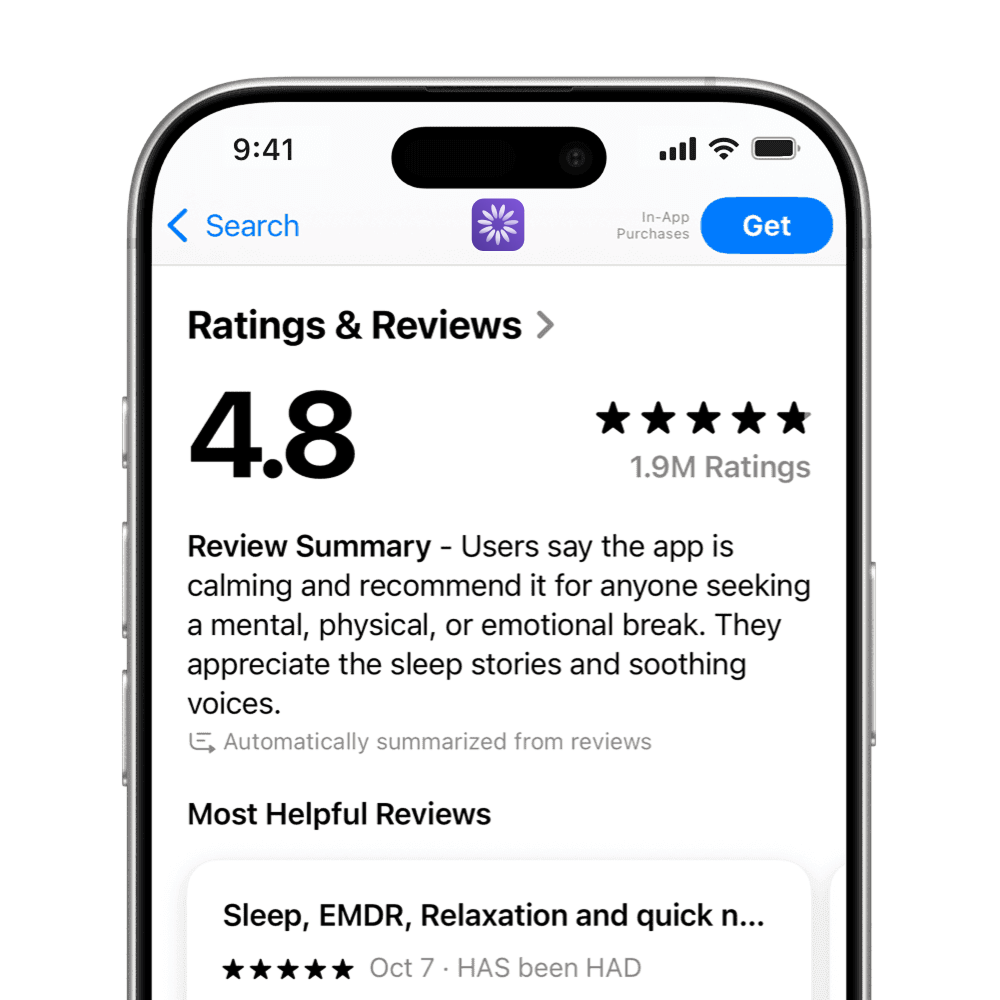
Improving app ratings isn’t a one-time task, it’s an ongoing process of product refinement, user communication, and marketing. Below, we break down the most effective strategies to improve app store ratings (for both iOS and Google Play) in a sustainable way.
1. Deliver a quality app experience
The foundation of a high app rating is a great product. No growth hack or prompt timing can substitute for an app that truly works well and delights users. To boost your iOS app ratings or Google Play app ratings, make sure you:
- Optimize Performance: Fix any slowness, and keep load times short. Users reward fast, smooth apps. For instance, if your app currently takes too long to perform certain tasks, consider adding loading indicators or optimizing your code so users aren’t left waiting.
- Eliminate Crashes and Bugs: Prioritize bug fixes in your development cycle. Use crash analytics to find and squash the top crashing issues. Each update should list major fixes in release notes, this shows users you’re actively improving stability (and you can prompt them to try the app again and reconsider their rating after a crash fix).
- Improve Battery and Resource Usage: Identify why your app might be draining battery and address it. This is especially important for games or GPS-heavy apps that tend to run long.
- Enhance UI/UX and Usability: Ensure your app’s navigation is intuitive and features are easy to use. If reviews mention confusing menus or hard-to-use features, consider a redesign or adding a tutorial. Sometimes, small changes (like clearer labels or instructions) can significantly reduce user frustration.
- Provide In-App Help & Support: Make it easy for users to get help before they resort to a public complaint. Integrate help pages, tutorials, or chat support within the app. As the saying goes, prevention is better than cure, solving a user’s issue in-app prevents a negative review.
2. Ask for ratings at the right moment
If you want more five-star ratings, you can’t be shy about asking, but when and how you ask makes all the difference. Both Apple and Google provide in-app methods to request ratings (which we discussed earlier). To use them effectively and improve your app store rating, follow these best practices:
- Time it for “Happy Moments”: Prompt users after they’ve had a positive experience or achieved something in your app. For example, after a user completes a level in a game, finishes a task in a productivity app, or places an order in a shopping app, they’re likely feeling satisfied. This is the perfect time to ask for a quick rating.
- Avoid Bad Timing: Never ask for a rating right after the app crashes, a user hits an error, or when they are in the middle of a critical task (like mid-gameplay or filling out a form). If a rating prompt appears during a frustrating experience, you can bet the feedback won’t be good.
- Use In-App Rating Prompts (SKStoreReviewController & Play In-App Review): Implement the native rating prompt APIs for iOS and Android. These make it super easy for users to leave a rating without leaving the app, which significantly increases conversion to actual ratings. Remember the limitations (Apple’s 3-per-year rule and Google’s quota), so choose your moments wisely.
- Consider a Gentle Pre-Prompt (Use Caution on iOS): Some apps display a custom dialog first, asking something like “Are you enjoying [AppName]?” with Yes/No buttons, before triggering the official rating prompt. The idea is to direct unhappy users to an internal feedback form (if they tap “No”) and only show the App Store review prompt if they tap “Yes”. Use this tactic carefully. It’s often called “review gating” and Apple’s guidelines forbid explicitly diverting unhappy users away from the App Store..
- Don’t Ask Too Often: Even happy users will get annoyed if prompted incessantly. Both Apple and Google’s APIs help prevent over-prompting, but if you roll a custom solution, implement your own cooldown logic. One advanced approach is to create a “happiness score” by assigning points to positive user actions and subtracting or decaying over time.
By asking for ratings thoughtfully, you significantly increase the chances that the ratings you get skew positive. Many users won’t rate on their own, so a polite prompt at the right time can dramatically boost the quantity of reviews and average rating. Just remember: how you ask is as important as asking at all.
3. Encourage feedback before it hits the store
Not all feedback should go directly to the app store. In fact, providing channels for users to voice concerns privately can both improve your product and preempt public negative reviews. Here’s how encouraging direct feedback can improve app store ratings indirectly:
- Offer Easy In-App Feedback Options: Include a “Contact Us” or “Send Feedback” button in your app’s settings or menu. This could open an email, a chat, or an in-app feedback form. Some apps use a simple form or support chatbot for users to report issues or suggestions. By making it convenient to reach you, users who encounter problems might talk to you first instead of venting on the app store.
- Use Surveys and In-App Questions: You can periodically prompt users with a short survey or a question like “How is your experience so far?” separate from the rating prompt. Tools like in-app survey widgets (for example, asking an NPS question or a thumbs up/down) help gather sentiments.
- Implement a Support System: Integrate a customer support SDK or at least provide an email for support. Many negative reviews stem from users feeling they have nowhere else to ask for help. A live chat or a swift email support response can resolve user issues before they become angry reviews.
- Educate Users with a Knowledge Base: Sometimes users leave bad ratings because they couldn’t figure out how to use a feature. Preempt this by having an accessible FAQ or tips screen in your app. If you have a knowledge base or tutorial videos, link them in the app. This way, users can self-serve answers to common questions instead of assuming your app lacks a feature or is broken.
The goal of all the above is to intercept frustration. When users have an avenue to complain or ask questions directly, they often won’t feel the need to post a negative review. Over time, this helps lift your average rating because only the more constructive or positive feedback makes it to the public eye, while critical feedback is handled behind the scenes (and used to improve the app).
4. Respond to reviews and engage your users
Your job isn’t done once a user leaves a review. In fact, responding to user reviews, especially the negative ones, is one of the most powerful ways to improve your app’s rating over time.
When you reply to a review on the App Store or Google Play, the user gets notified (via email, for instance, on Apple’s side). Many users are pleasantly surprised to hear back from a developer. By politely addressing their concern you demonstrate that you value their experience. This alone can convince a disgruntled user to give your app another chance.
Often, users will update their rating after a developer response. For example, if someone left a 2-star review about a bug, and you respond that you’ve identified the problem and will fix it in the next update, they might update their review to 4 or 5 stars once it’s resolved. Even simply acknowledging the issue and saying you’re working on it can soften a hard stance.
Always be polite and understanding in responses, even if the review is harsh. Never argue or get defensive. For a negative review, apologize for the inconvenience and state how you plan to help. Remember that your reply isn’t just for that one user, but for everyone reading your app listing.

Managing review replies can be time-consuming, especially as your app grows. This is where MobileAction’s AI Review Reply can help. AI Review Reply can analyze a user review, detect the core issue or sentiment, and draft a relevant response for you. This saves you time and ensures consistency in your tone. You can always customize the suggested reply, but it provides a strong starting point. With AI assistance, you can respond fast and consistently to maintain a healthy review profile. The quicker you respond (especially to critical reviews), the more likely you are to change that user’s mind or at least demonstrate to others that you address feedback promptly.
5. Boost visibility and acquisition
Another often overlooked aspect of how to improve app store ratings is simply getting more (happy) users through the door. Remember that only a fraction of users will rate your app at all, so increasing your user base, especially with quality, targeted users, naturally yields more positive ratings over time (assuming your app delivers value).
Ensure your app’s listing is optimized for relevant keywords and attractive to users. This helps more people find and download your app organically. Core ASO steps include optimizing your app title and description with keywords, using an eye-catching icon, and adding informative screenshots and videos. A well-optimized listing means you’ll rank higher in searches, bringing in more downloads. More downloads → more chances to convert satisfied users into reviewers. As your download base grows, even if the proportion of reviewers stays the same, the absolute number of positive ratings will increase, lifting your overall rating. Consider using MobileAction’s ASO Intelligence to research keywords, track competitor rankings, and get recommendations for improving your store listings..
Overall, increasing your reach and attracting satisfied users creates a larger pool of potential positive ratings. Just ensure your acquisition strategies are bringing in users who align with what your app offers (so they’ll be delighted and inclined to leave high ratings). A highly rated app typically has both a quality product and a robust user acquisition pipeline fueling its growth.
Treat ratings as a continuous improvement loop

Improving your app store rating for iOS and Google Play is not a one-time hack, it’s an ongoing commitment to understanding and enhancing the user experience. By now, you’ve learnt the answers to how to improve app store rating.
Finally, remember that iOS app ratings and Google Play app ratings ultimately reflect how well you meet user needs. By consistently delivering value, communicating with users, and iterating based on feedback, you’ll see your app store ratings climb as a byproduct of genuine user satisfaction. A higher rating then feeds back into more growth, completing a virtuous cycle.
Stay committed to the process: monitor feedback, adapt quickly, and celebrate the wins (like that occasional user review that calls your app “perfect!”). Over time, this dedication will earn your app the strong reputation it deserves. And as your ratings improve, so will your app’s ability to attract new users and succeed in the competitive app marketplaces. So, sign up today and start getting those 5-stars!

Content Marketing Specialist
Resources that you'll love




Grow your app on the App Store and Google Play Store with our solutions now