Apple Ads has introduced Maximize Conversions, a new bid strategy designed for search results campaigns on the App Store. The goal is to help advertisers generate more tap-through installs while aiming for a target CPA they define.
For teams managing campaigns day to day, this update changes how bidding and discovery can be approached. Instead of adjusting keyword-level bids to reach a CPA outcome, Maximize Conversions automatically sets the optimal bid for each search query using real-time signals. Advertisers guide performance using two primary controls: target CPA and daily budget.
This update arrives alongside expanded opportunities for ads in search results, which increase available inventory beyond the top position. Together, these changes can create more opportunities to scale campaigns, particularly for teams seeking broader keyword discovery and simpler campaign management.
What Maximize Conversions is
Maximize Conversions is a bid strategy within Apple Ads designed to maximize tap-through installs while working toward a campaign-level target CPA.
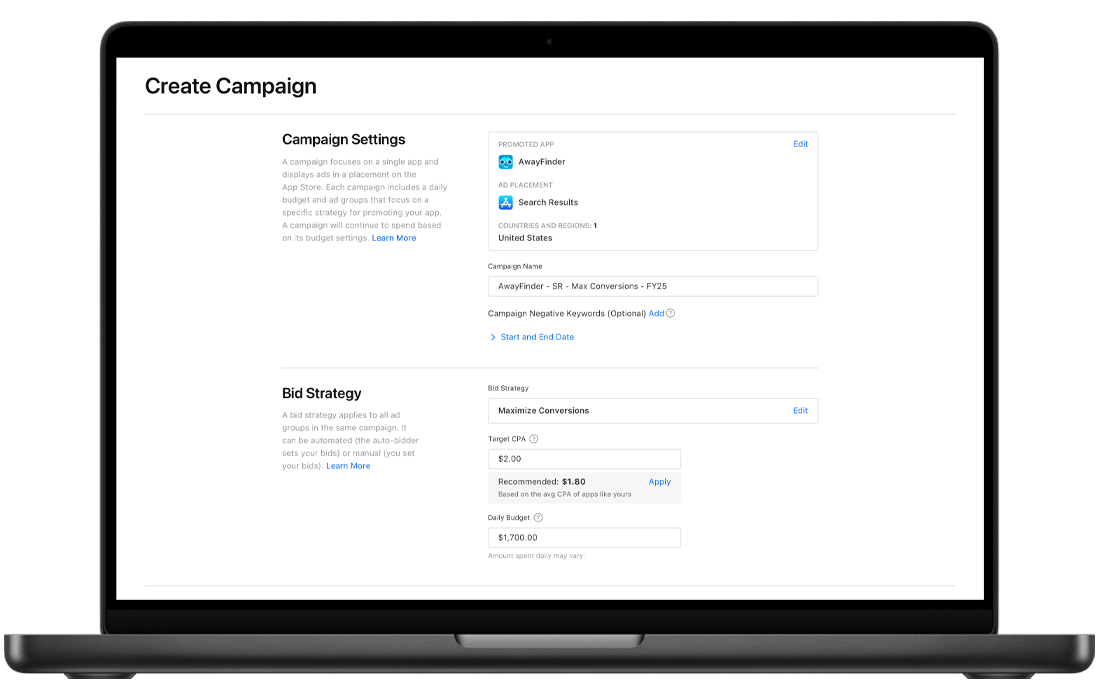
Two core principles define how this strategy works:
- Automated bidding per search query. Bids are automatically determined for each search query. Advertisers no longer manage individual max CPT bids to influence CPA outcomes under this strategy.
- Search Match is included. Maximize Conversions campaigns rely on Search Match to connect ads with relevant search queries and expand coverage for keyword discovery. Advertisers still maintain some control, including the ability to add negative keywords.
As with other Apple Ads campaigns, advertisers pay on a cost-per-tap basis. Charges occur when someone taps the ad on the App Store.
How Maximize Conversions works
Apple Ads evaluates each eligible search query and determines the bid most likely to win the auction and generate an install while aiming to keep performance close to the advertiser’s target CPA.
In practice, this means:
- The system may bid higher for search queries with a higher predicted likelihood of converting.
- Bids may be reduced for queries with a lower expected conversion probability.
- Performance should be evaluated at the campaign outcome level, not by individual keyword bids.
- Keyword coverage is primarily driven by Search Match, while relevance can be refined using negative keywords and optional keyword lists.
If advertisers prefer more direct control, Apple Ads still allows them to switch back to manually setting keyword bids.
Two timing points matter for how you interpret performance:
- Learning and stabilization: Maximize Conversions campaigns require two to three weeks to stabilize. During the first few days, it’s normal to see limited spend as the system is learning.
- Campaign eligibility: Apple Ads notes that Maximize Conversions is designed for post-launch campaigns, not pre-order campaigns.
As Maximize Conversions launched while search results ad campaigns were expanding, this increases the surface area where automation can find conversion opportunities.
That matters for three reasons.
- First, it improves discovery potential for long-tail and incremental terms.
- Second, it can reduce opportunity costs caused by rigid bid ceilings in manually constrained structures.
- Third, it gives advertisers a more scalable path in markets where keyword management overhead has historically limited growth.
Understanding Target CPA
Target CPA is the average amount you want to spend per tap-through install.
However, it should be understood as an average performance goal, not a strict ceiling.
Apple Ads states that Maximize Conversions is designed to drive the most app downloads at your target CPA on a weekly basis, so daily fluctuations are normal. Evaluating performance too quickly may lead to reacting to temporary noise rather than long-term results.
When creating a Maximize Conversions campaign, Apple Ads provides a suggested target CPA. This recommendation can serve as a starting point, but should be adjusted based on each advertiser’s install value or broader performance metrics such as return on ad spend (ROAS) or lifetime value (LTV).
If the selected target CPA is significantly lower than what auctions in a given country or region realistically support, the campaign may struggle to win auctions and scale.
How daily budget works with target CPA
Maximize Conversions uses daily budget as the campaign’s primary spend control. Apple Ads frames it as a monthly pacing mechanism, which is why you may spend more than the daily amount on certain days and less on others, while still staying within a monthly limit.
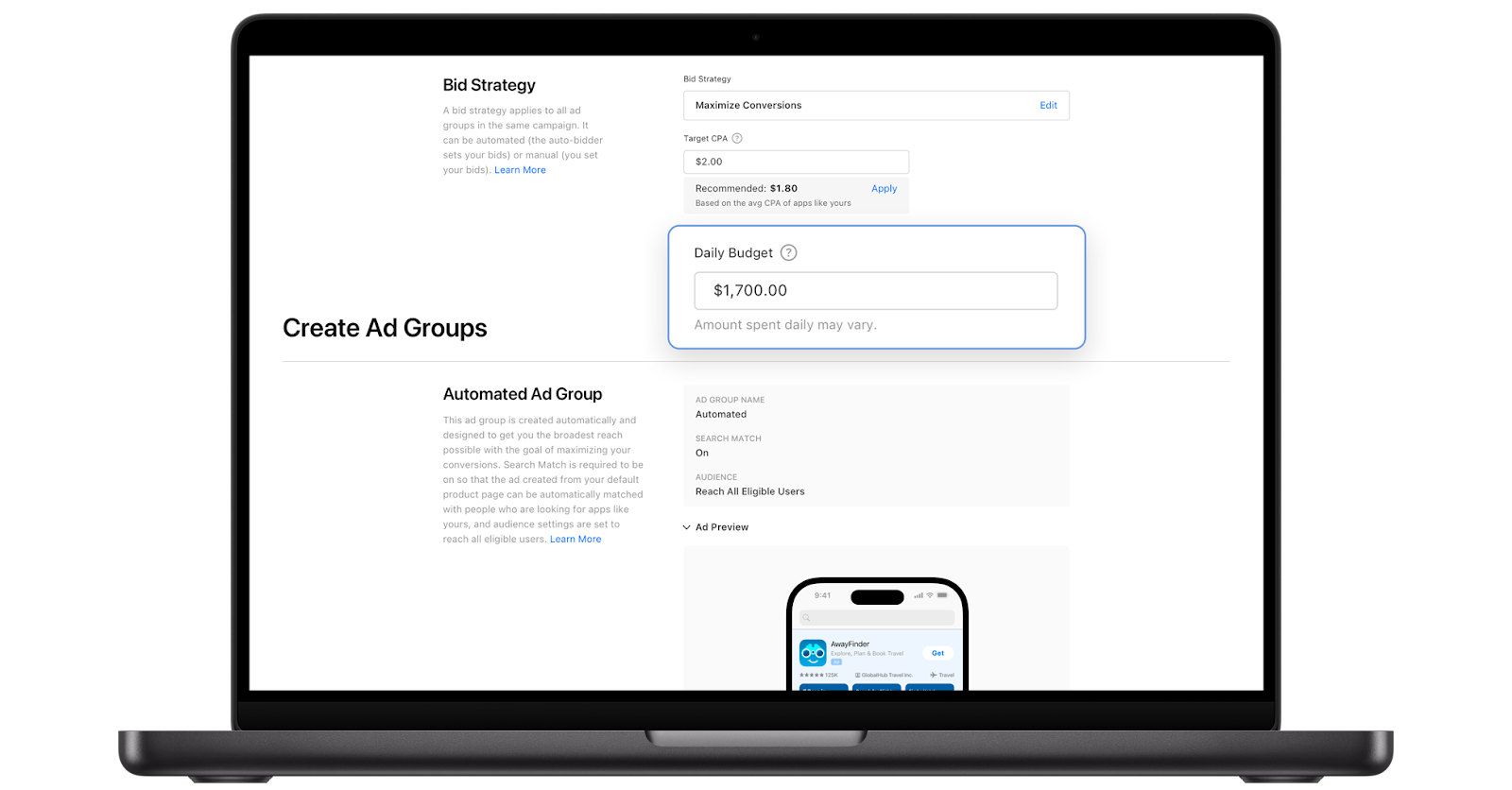
Practically, daily budget affects two things:
- How much the campaign can learn. If the budget is too low to generate consistent installs, the system has a limited signal, and delivery may stay constrained.
- How far you can scale. If performance is stable but volume is capped, budget is often the limiting factor.
If your target CPA is $10 and your daily budget is $20, you’re telling the system to aim for roughly two installs per day at best. That’s typically not enough for stable learning or reliable evaluation. If you want this strategy to settle, you need enough conversion volume for the campaign to “see” patterns.
Changes to CPA Cap
Apple Ads has also announced that CPA caps will soon become unavailable.
Previously, CPA caps acted as a fixed ceiling on the cost associated with individual search query matches, which could limit impressions and installs. With Maximize Conversions, advertisers instead set a target CPA at the campaign level.
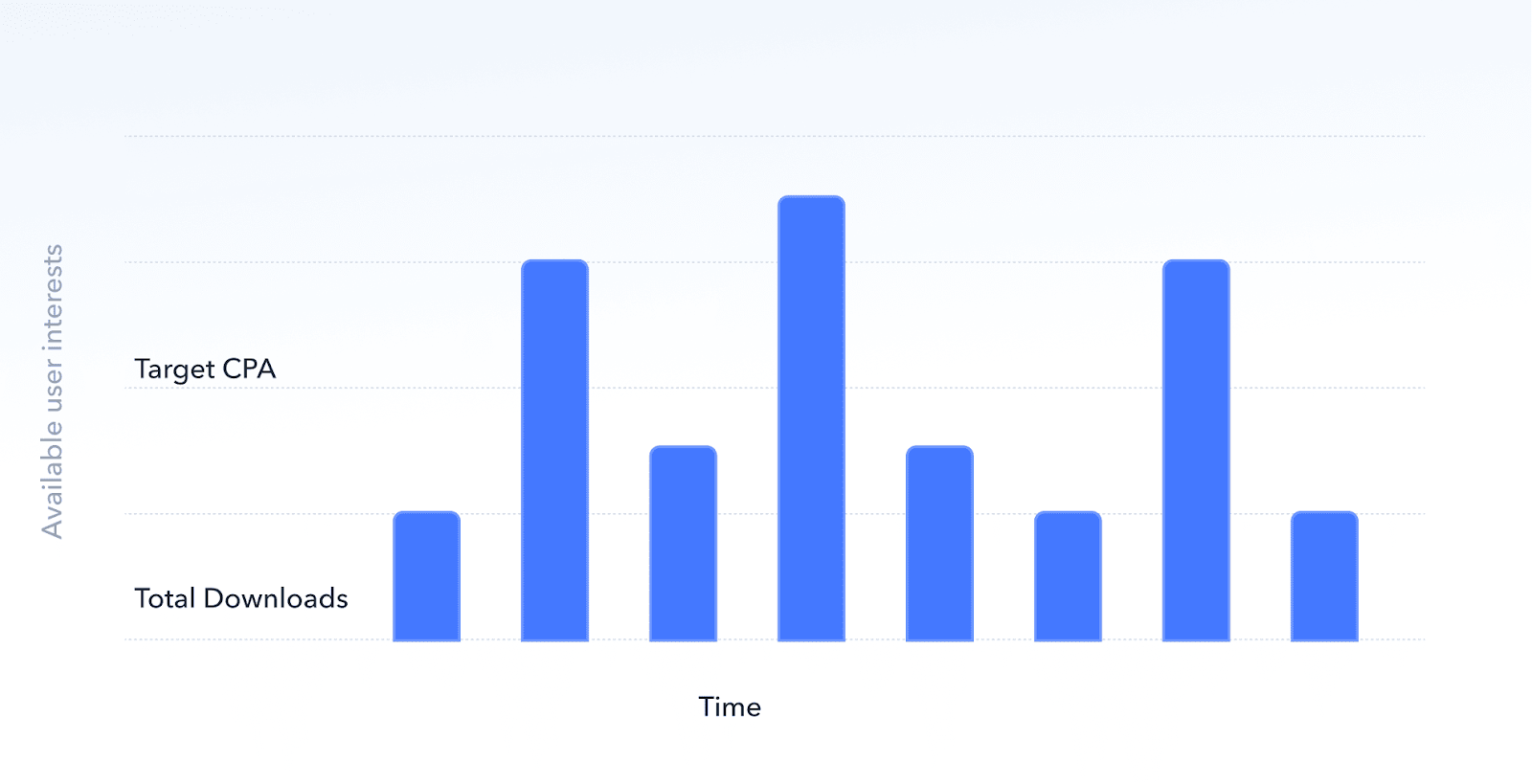
The system then adjusts bids dynamically across search queries to generate installs while aiming to keep average acquisition costs close to that target. The daily budget continues to control overall spend.
For advertisers who previously relied on CPA caps, the operational shift is toward guiding performance with a campaign-level target CPA rather than applying fixed ceilings at the ad group level.
Keyword discovery and Search Match
Maximize Conversions is closely connected to keyword discovery because it relies on Search Match to identify relevant search queries automatically.
This approach is similar to discovery workflows in Apple Ads, where advertisers analyze search term reports to identify valuable queries.
A few practical considerations:
- Search Match is currently required for Maximize Conversions campaigns.
- Advertisers can optionally add their own keywords in an additional ad group if they want to target specific terms.
- Negative keywords remain the primary control for refining relevance.
Apple Ads recommends avoiding overly aggressive negative keyword usage early in the campaign, as it can limit discovery and reduce the system’s ability to find high-performing queries.
If advertisers run Maximize Conversions campaigns alongside manual search results campaigns in the same country or region, Apple Ads suggests adding keywords from manual campaigns as negative keywords in the automated campaign to prevent overlap.
Best practices for Maximize Conversions
Here are the practical practices to consider while applying Maximize Conversions:
- Increase opportunities for downloads when you have a clear CPA goal and want the system to pursue additional eligible queries.
- Discover additional keywords by using Search Match based coverage to surface popular and emerging searches without building separate discovery ad groups.
- Launch in new markets when you want faster learning on what people search for in a new country/region.
- Replace CPA cap when you want the system to pursue volume while targeting an average CPA, rather than operating under a query-level ceiling.
- Keep campaign management simpler by spending less time adjusting keyword-level bids and more time on structure, negatives, creatives, and measurement.
How MobileAction supports teams using Maximize Conversions
Maximize Conversions automates bidding inside Apple Ads, so advertisers spend less time adjusting keyword-level bids and more time monitoring campaign outcomes, reviewing Search Match traffic, and refining relevance.
As an official Apple Ads partner, MobileAction supports teams adapting to Maximize Conversions by helping them understand how the new bidding model affects campaign performance and optimization decisions. You can schedule a demo with our app growth experts to evaluate target CPA settings, review search term behavior, and adjust campaign strategies as automation becomes a larger part of Apple Ads.
Frequently asked questions
Is the target CPA a hard ceiling per install?
No. Apple Ads defines target CPA as an average goal. Actual CPA may vary daily, but performance is optimized toward the target on a weekly basis.
How should you choose your initial target CPA?
Start with the suggested target CPA during campaign setup and compare it with recent CPA performance for similar campaigns in the same country or region.
What happens if the daily budget is too low?
A limited daily budget can restrict delivery. Apple Ads recommends setting a daily budget that allows at least five conversions per day to help the system gather sufficient optimization data.
Can advertisers still run manual keyword campaigns?
Yes. Apple Ads continues to support campaigns where advertisers manually set keyword bids, allowing more direct control when needed.

Content Marketing Specialist
Resources that you'll love



Grow your app on the App Store and Google Play Store with our solutions now