










ASO and Apple Ads should not be managed as separate acquisition channels. ASO shows where an app is visible organically and how effectively its product pages convert, while Apple Ads provides faster performance data for specific keywords, search terms, ad variations, and audiences.
Used together, these signals support better decisions across the App Store. Apple Ads data can help validate keyword intent, creative relevance, and user value. ASO data can show where organic visibility is strong or weak, where paid coverage may be useful, and which search themes should be supported through metadata or custom product pages.
This blog explains how to combine ASO and Apple Ads through shared keyword planning, campaign testing, custom product pages, bid optimization, localization, and performance measurement.
Key takeaways
- Use ASO research to identify relevant keyword themes, organic visibility gaps, competitor opportunities, and product page areas to improve before expanding Apple Ads campaigns.
- Use Apple Ads performance data for keywords, search terms, and ad variations, including TTR, CR (Tap-Through), Installs (Tap-Through), and Spend, to test ASO assumptions and prioritize further analysis.
- Organize keywords by search intent and relevance rather than relying only on Search Popularity.
- Align keyword themes with relevant custom product pages. In Apple Ads search results ad groups, use those pages to create ad variations tailored to specific keyword themes or audiences.
- Compare organic visibility with Apple Ads performance before changing max CPT bids. Do not reduce a bid solely because the app ranks organically; assess whether the paid placement adds value. This is strategic guidance, not an Apple-defined bidding rule.
- Review Apple Ads reporting and App Store Connect Analytics together, while keeping their measurement scopes separate. Do not treat correlation between paid activity and organic performance as proof of causation.
ASO and Apple Ads: What is the difference?
ASO and Apple Ads both support App Store visibility, but they use different controls and generate different types of data.
| Area | ASO | Apple Ads |
| Main purpose | Improve discoverability in App Store search and product page performance | Promote an app through paid ad placements on the App Store and drive downloads |
| Visibility | App Store search results, Top Charts, category content, and default and custom product pages | Today tab, Search tab, search results, and product pages, while browsing |
| Main inputs and controls | App name, subtitle, keywords, primary category, localization, description, screenshots, app previews, app icon, custom product pages, and product page optimization. Ratings and reviews can influence search rank but are not directly controlled by the developer. | Ad placement, campaign and ad group structure, Manage Bids or Maximize Conversions, keywords and match types, max CPT bids, daily budget, optional audience settings, Search Match, and ad variations |
| Time to generate data | Apple does not publish a standard timeline for organic ranking changes. Measurement depends on App Store exposure and sufficient data becoming available in App Store Connect Analytics. | Data becomes available as campaigns generate impressions, taps, and installs. Timing depends on campaign delivery and traffic, and some reporting dimensions have minimum data thresholds. |
| Core metrics | App Store Connect Analytics: Impressions, Product Page Views, Conversion Rate, First Time Downloads, Redownloads, and Total Downloads. Organic keyword rank and visibility scores require external tools and are not native Apple metrics. | Impressions, Impression Share, Taps, TTR, CR (Tap-Through), CR (Total), Installs, Average CPT, Average CPA, and Spend. Post-install value requires additional attribution or analytics data and is not a standard Apple Ads reporting metric. |
Why ASO and Apple Ads need a shared strategy in 2026
The connection between ASO and Apple Ads has become more important as App Store search, search results inventory, bid strategies, and custom product pages have evolved.
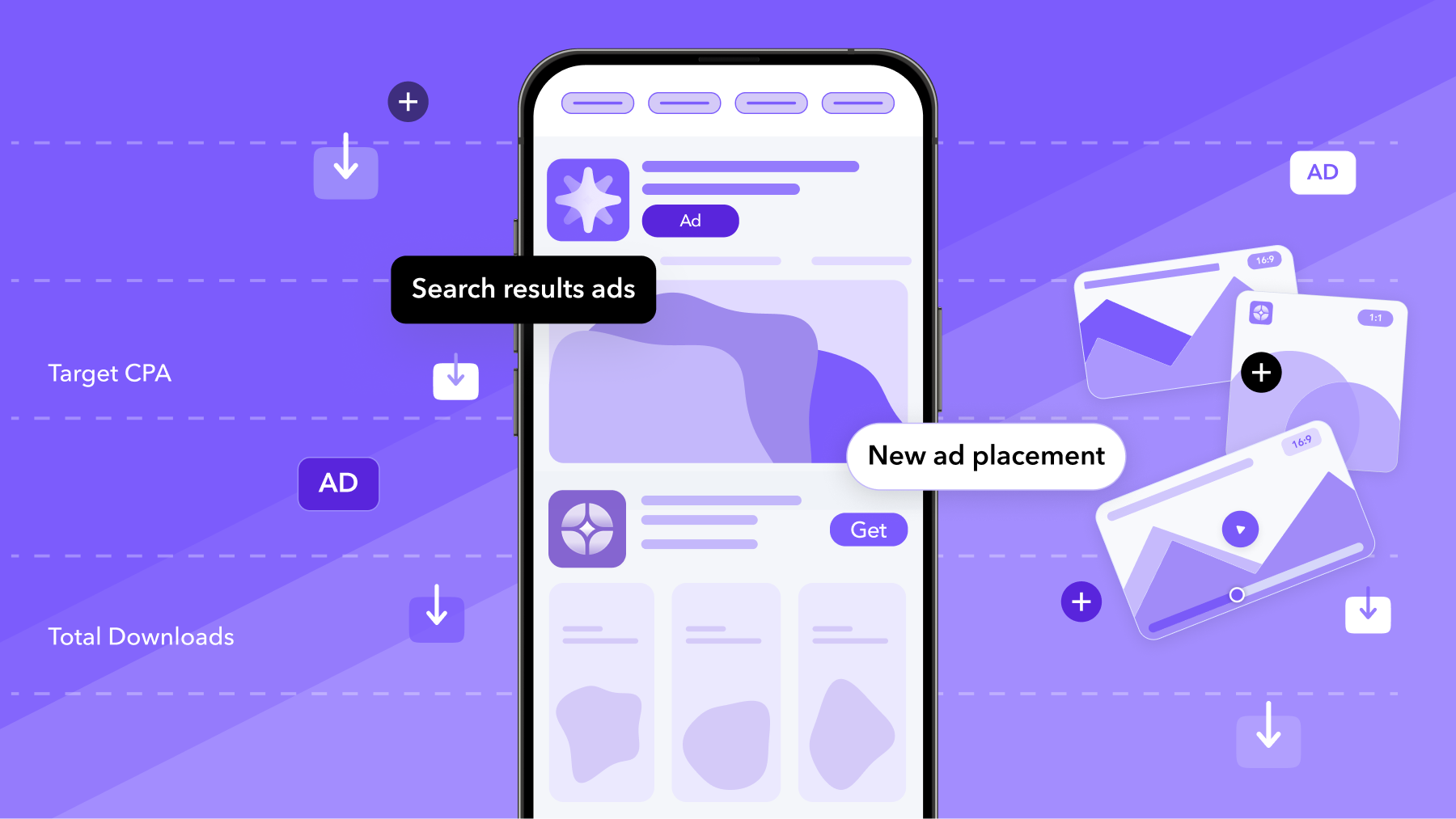
Apple Ads search results ads can appear either at the top of search results or farther down the page. Apple states that an ad may appear in any available ad position and that advertisers cannot select or bid for a particular position.
This makes aggregate paid visibility less informative on its own. An app may have meaningful impression share across all ad positions while receiving a different level of exposure in the first ad position.
MobileAction’s Apple Ads Intelligence adds placement-level context by showing Total Impression Share, 1st Placement Impression Share, and 2nd Placement Impression Share across app, keyword, and competitor views. This helps teams compare organic rank and competitor visibility with the distribution of paid visibility. See how MobileAction measures expanded search results inventory.
Search results campaigns offer two bid strategies
Apple Ads provides two options for search results campaigns:
- Manage Bids, which lets advertisers select keywords, apply broad match or exact match, and manage max CPT bids.
- Maximize Conversions, which uses Search Match and an auto-bidder. Advertisers set a target cost-per-acquisition, and the auto-bidder calculates bids for each search query with the goal of maximizing installs at the target CPA on average. For a detailed explanation of its bidding logic, target CPA, and Search Match requirements, see how Maximize Conversions works in Apple Ads.
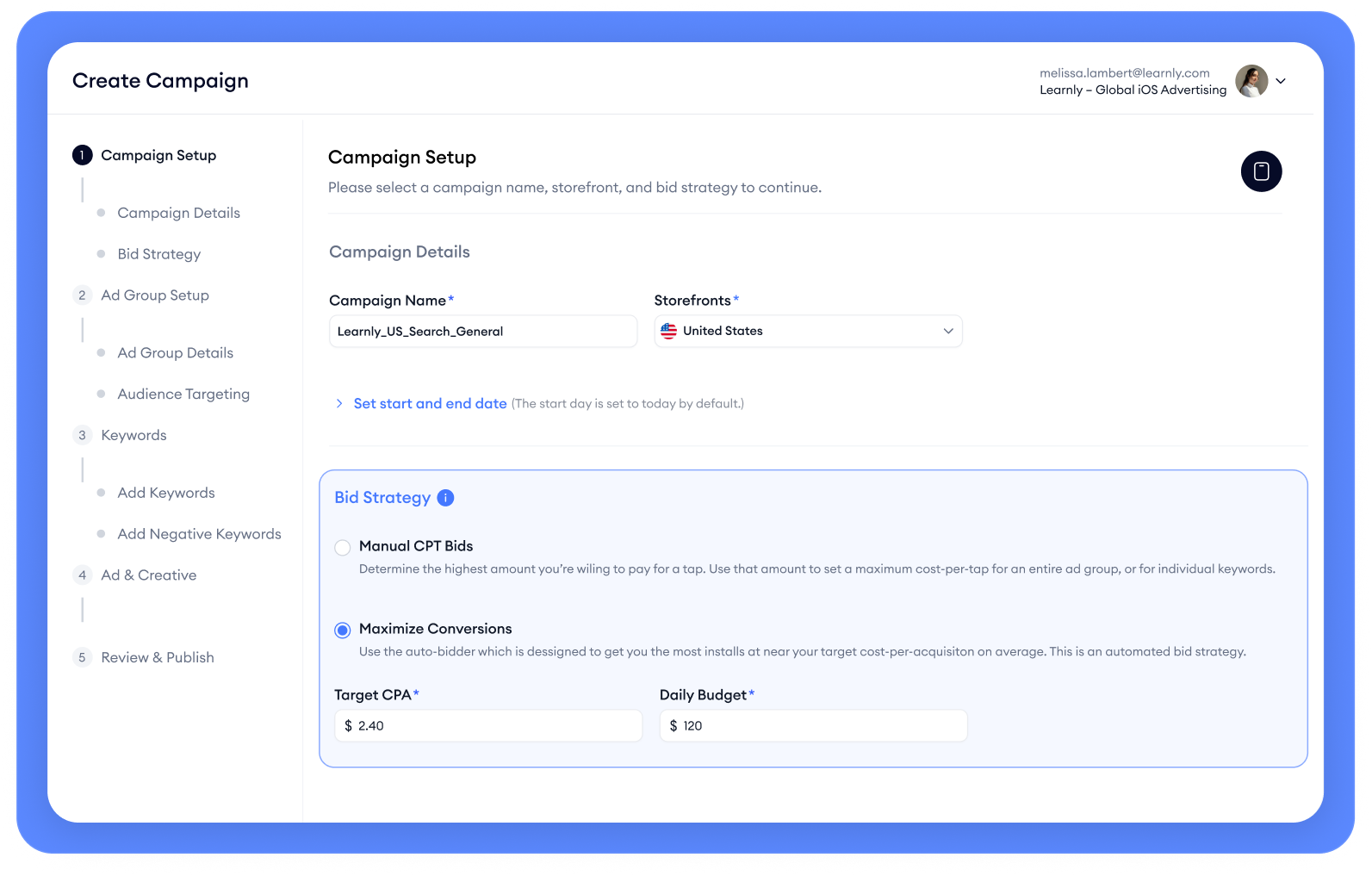
From an ASO research perspective, Manage Bids generally provides a more controlled environment for testing specific keywords and match types. Maximize Conversions may be more suitable when the main objective is maximizing installs at a target CPA.
Custom product pages connect organic and paid search
Developers can create up to 70 custom product pages per app, each with different screenshots, app previews, promotional text, keywords, localizations, and an optional app deep link.
Keywords from the latest approved app version can be assigned to a custom product page. Once approved and set to visible, that page can appear for those searches instead of the default product page. Apple recommends matching keywords to the page’s intent and using a unique keyword set for each page. Learn more about how custom product pages connect with organic search.
The same pages can create ad variations in Apple Ads search results ad groups, aligning creative with keyword themes or audiences. This supports a shared journey:
Search query → keyword intent → ad creative → custom product page → app deep link
ASO and Apple Ads teams can therefore align keywords, creative, product page content, and app destinations within one strategy.
Additional-placement impression share, organic keyword rank, competitor visibility, and post-install performance are MobileAction, third-party ASO, attribution, or analytics data, not native Apple Ads reporting metrics.
Want to put these strategies into practice? MobileAction CMP brings keyword and competitor intelligence, Apple Ads campaign management, automation, AI Smart Bidding, budget allocation, custom product page testing, industry benchmarks, and MMP data into one platform. Book a demo to see how CMP can support your Apple Ads and ASO workflow.
How to combine ASO and Apple Ads step by step
Step 1: Establish a paid and organic baseline
Before making changes, document the current performance of the app.
For each important country or region, record:
Organic performance
- Keyword rankings
- Search popularity
- Organic visibility
- Category ranking
- Product page impressions
- Product page views
- Conversion rate
- First-time downloads
- Ratings and reviews
- Current metadata
- Current screenshot and app preview sequence
Apple Ads performance
- Active placements
- Campaign structure
- Keywords and match types
- Search terms
- Impression share
- TTR
- Conversion rate
- CPT
- CPA
- Spend
- Ad variations
- Post-install retention, revenue, or ROAS
The baseline makes it easier to separate the effect of later metadata, creative, bid, budget, and campaign changes.
Step 2: Build one shared keyword taxonomy
Create a common keyword library used by both the ASO and Apple Ads teams.
Group terms by intent:
- Brand: the app name, company name, abbreviations, and common misspellings
- Category: the type of app or service
- Competitor: competing apps, brands, or products
- Feature: specific functionality
- Problem: the user need or challenge
- Use case: what the user is trying to accomplish
- Audience: the type of person or business searching
- Seasonal: events, holidays, or time-sensitive demand
- Emerging: new terms found through Search Match, trends, reviews, or market changes
For every keyword, record:
- Intent cluster
- Country or region
- Search Popularity
- Organic rank
- Impression Share (All Ad Positions)
- Impression Share (First Ad Position)
- Apple Ads performance
- Competitor strength
- Metadata status
- Assigned custom product page
- Business value
- Recommended next action
This creates one source of truth instead of separate ASO and paid keyword lists.
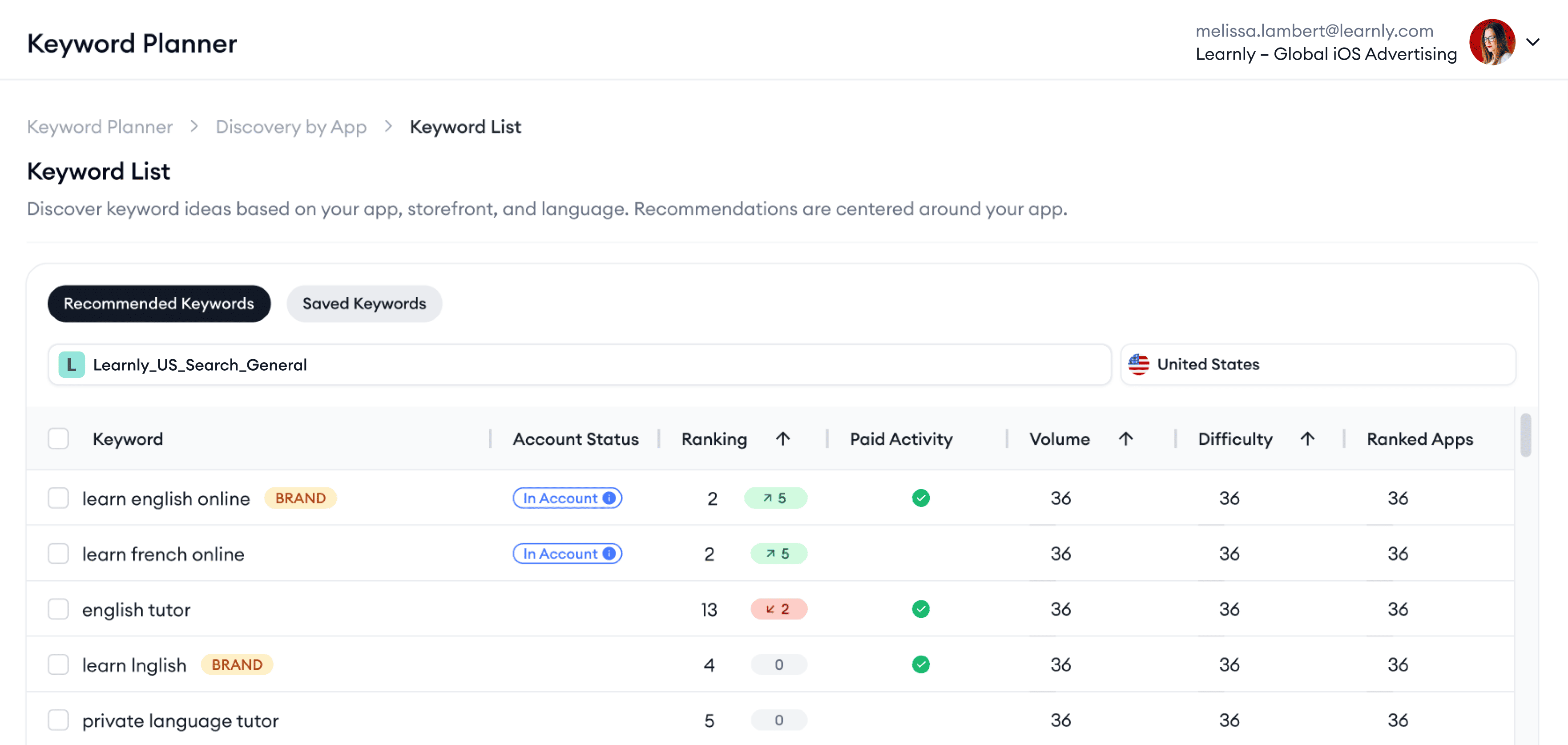
When building the initial keyword library, MobileAction’s AI Keyword Planner can generate recommendations from one of your own apps or up to 10 seed keywords for a single storefront.
Step 3: Map keyword themes to product experiences
Determine whether each major keyword group is adequately represented by the product page.
Ask:
- Does the app genuinely support this intent?
- Is the value visible in the first screenshots?
- Does the screenshot language reflect the search?
- Does the current page explain the relevant feature?
- Would a custom product page provide a better experience?
- Is there a suitable in-app destination for an app deep link?
- Should the keyword appear in the app name, subtitle, or keywords?
- Should the keyword be assigned to a custom product page so that page can appear in App Store search results instead of the default product page?
- Should it use a dedicated search results ad variation?
Avoid creating a different page for every keyword. Build pages around meaningful groups of searches that share the same motivation and product experience.
Step 4: Create a clear Apple Ads campaign structure
For Manage Bids search results campaigns, Apple recommends organizing campaigns around four keyword themes:
- Brand
- Category
- Competitor
- Discovery
Brand, category, and competitor campaigns generally contain exact match keywords and have Search Match turned off. A discovery campaign can contain a broad match ad group with Search Match off and a separate ad group with Search Match on and no keywords.
Add the keywords from the brand, category, and competitor campaigns as exact match negative keywords in the discovery campaign. This prevents the discovery campaign from matching to the exact keywords already being managed elsewhere.
The structure can make it easier to distinguish:
- Known performance
- New keyword discovery
- Brand demand
- Category demand
- Competitor demand
Step 5: Use paid campaigns to test keyword hypotheses
Begin with a clear question rather than launching keywords without a learning objective.
Examples include:
- Does this category keyword attract the intended audience?
- Does a problem-based term convert better than a feature-based term?
- Is a competitor keyword economically viable?
- Does a localized phrase outperform its literal translation?
- Does a custom product page improve conversion for this intent?
- Is the keyword valuable after the download?
For controlled keyword tests, use:
- exact match
- A clearly defined country or region
- Sufficient budget
- Stable creative
- A relevant custom product page when available
- A test period that accounts for normal performance variation
Avoid changing metadata, bids, budgets, and creative simultaneously when the goal is to understand one specific variable.
For custom product page testing, MobileAction’s CPP A/B Testing can compare two to four custom product pages or ad-group setups through Parallel or Switch methods. The test uses Apple Ads performance metrics such as impressions, TTR, CR, average CPT, and average CPA, while estimated test duration and confidence are calculated by MobileAction.

Step 6: Feed validated search terms into ASO
A term becomes a stronger ASO candidate when it meets several conditions:
- It accurately describes the app.
- It receives repeated relevant traffic.
- It converts at an acceptable rate.
- It supports valuable post-install behavior.
- It fits the app’s positioning.
- It has realistic organic potential.
- It does not displace a more important metadata term without sufficient reason.
Depending on the evidence, the term might be used in searchable metadata:
- App name
- Subtitle
- Keywords
- Localized metadata
- Custom product page keyword assignments
It might also be used in product page messaging:
- Screenshot copy
- Promotional text
- Other product page messaging
Apple confirms that app name, subtitle, keywords, and company name affect how an app can be found in App Store search. Apple does not identify promotional text or screenshot copy as searchable metadata.
The highest-volume keyword is not always the best choice. A lower-volume term with stronger intent, conversion, retention, or revenue may be more valuable.
Step 7: Align custom product pages and ad variations
Custom product pages can connect App Store search, Apple Ads, external campaigns using unique URLs, and specific in-app destinations using app deep links.
A practical structure could look like this:
| Intent cluster | App Store search approach | Apple Ads approach | Product page approach |
| General category | Core metadata | Category campaign | Default product page or broad category custom product page |
| Specific feature | Subtitle or keywords when appropriate | exact match ad group | Feature-specific custom product page |
| User problem | Keywords or custom product page keyword assignment | exact match or discovery testing | Problem-solution custom product page |
| Seasonal event | Temporary product page messaging where appropriate | Seasonal campaign | Seasonal custom product page |
| Competitor alternative | Usually avoid competitor trademarks in metadata | Competitor campaign | Differentiation-focused custom product page |
| High-value audience | Relevant metadata when natural | Dedicated keyword theme | Audience-specific custom product page and app deep link |
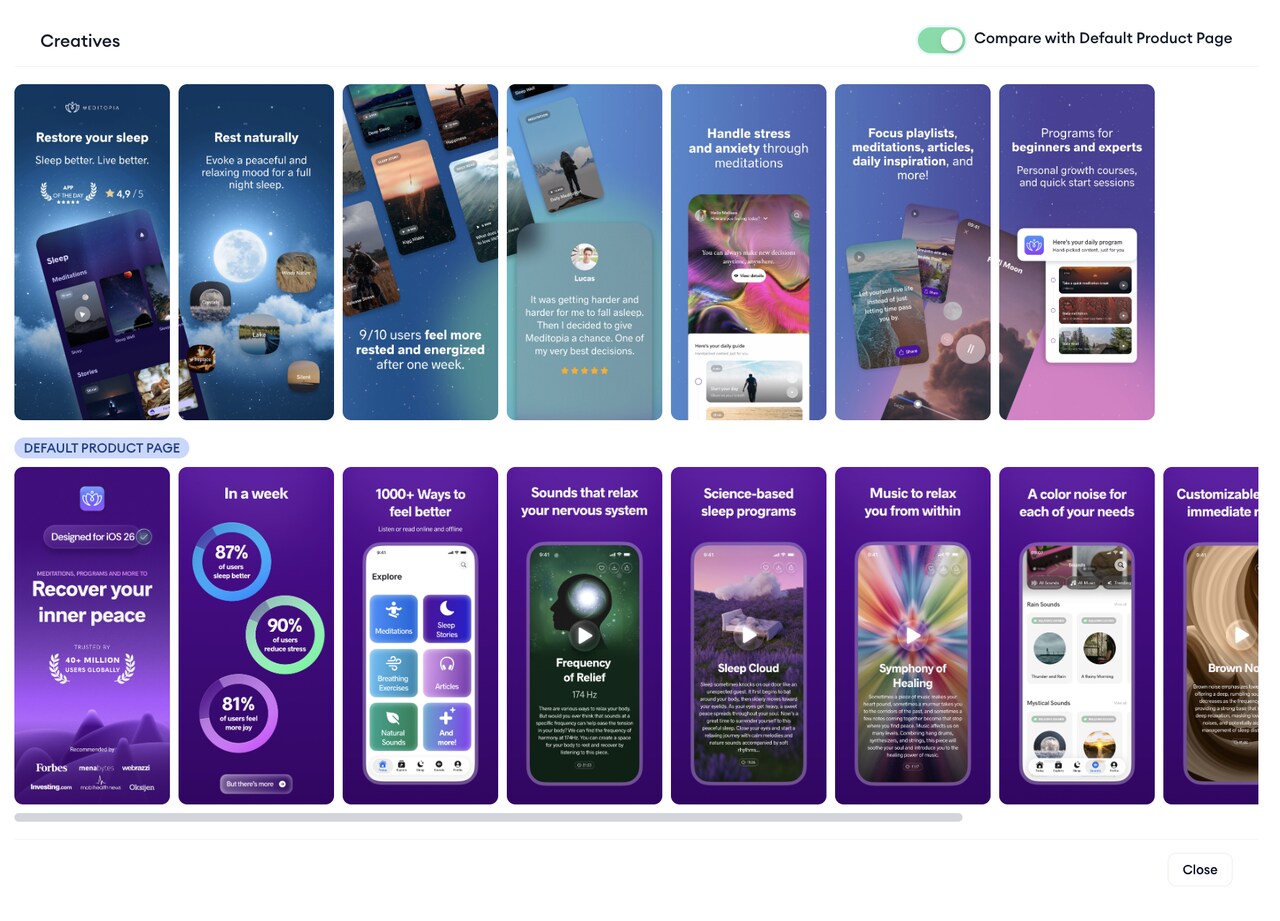
Apple lets developers assign keywords from the latest approved app version to a custom product page. After the page is approved and set to visible, it can appear in search results for those keywords instead of the default product page. Apple Ads can use custom product pages to create search results ad variations.
Step 8: Optimize bids using paid and organic visibility together
Do not use organic rank as an automatic bid rule.
A high organic rank can indicate that the app already has strong visibility, but paid presence may still support:
- Additional search results coverage
- Brand protection
- Defense against competitors
- More control over the product page shown
- Greater reach during seasonal demand
- Potential incremental downloads
- Access to an app deep-linked experience
These are strategic considerations, not outcomes guaranteed or directly quantified by Apple.
Similarly, a low organic rank† does not mean the team should bid aggressively without considering conversion and user value.
Review the following together:
- Organic rank
- Search popularity
- Impression share (All ad positions)
- Impression share (First ad position)
- TTR
- CR (Tap-through)
- CR (Total)
- Avg CPA (Tap-through)
- Avg CPA (Total)
- Competitor pressure
- Retention or revenue
- Incremental performance
For Manage Bids search results campaigns, Apple recommends a tiered bidding strategy, the most aggressive bids for important exact match keywords, strong bids for similar broad match keywords, and more moderate bids for new queries discovered through Search Match.
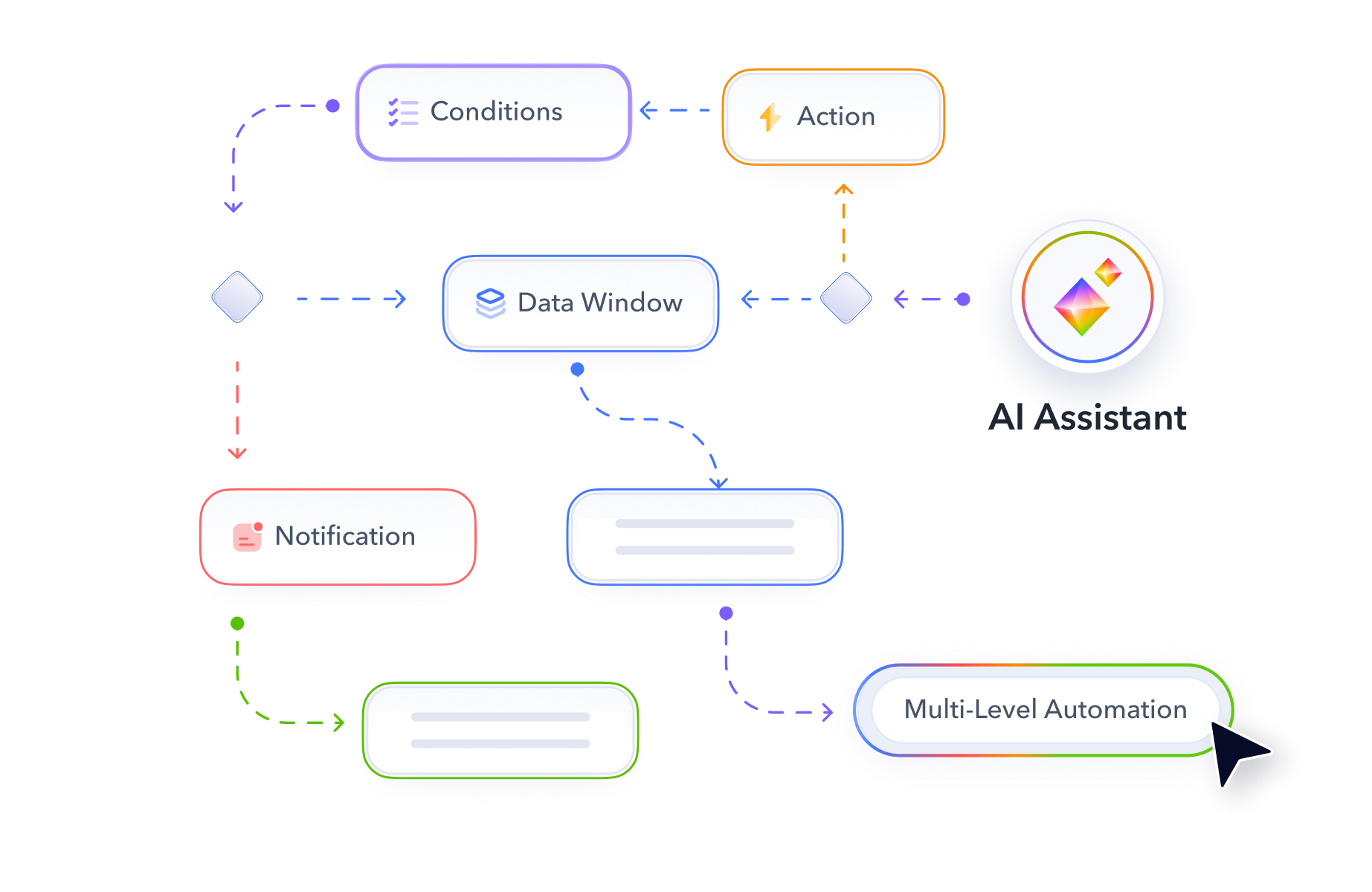
After the team defines its bidding rule, MobileAction Automations can evaluate keyword-level Organic Rank and Keyword Popularity, which are MobileAction organic metrics, alongside Apple metrics such as impressions, taps, installs, conversion rate, and Apple SOV.
Step 9: Repeat the process by country or region
Do not assume that a strategy proven in one market will transfer directly to another.
For each country or region, review:
- Language and local wording
- Search popularity
- Competitor landscape
- Organic ranking
- Conversion expectations
- Pricing and subscription perception
- Ratings and reviews
- Seasonal demand
- Avg CPT and Avg CPA
- User value
Apple recommends separating campaigns by individual App Store countries or regions when larger markets require dedicated budgets or have distinct goals. Countries and regions can also be grouped when they have similar goals or share characteristics such as language or customer value.
Apple also confirms that app localization can be provided for supported languages and countries or regions. Teams should therefore validate wording, product page content, and campaign performance separately rather than assuming that the same English keyword will perform consistently across English-speaking markets.
Localized campaigns may also require distinct custom product pages, screenshot copy, promotional text, and bidding strategies.
Country-level performance can also be compared with MobileAction Benchmarks, which reports aggregated industry CPA, CPT, CR, and TTR by country, category, and ad placement.
How to measure combined ASO and Apple Ads performance
Paid and organic performance should be reviewed together, but reported separately enough to show where results came from.
ASO metrics
Monitor:
- Organic keyword rank
- Search visibility
- Impressions
- Product page views
- Conversion rate
- First time downloads
- Redownloads
- Ratings and reviews
- Custom product page performance
- Performance by territory
App Store Connect Analytics shows acquisition performance from sources such as App Store search, App Store browse, app referrers, web referrers, and custom marketing campaigns.
However, App Store search can include activity from ads in search results. It should not automatically be treated as a purely organic source.
Organic keyword rank and search visibility are not available as native App Store Connect metrics and usually require third-party data.
Apple Ads metrics
Monitor:
- Impressions
- Impression Share
- Rank
- Taps
- TTR
- Installs
- CR
- Average CPT
- Average CPA
- Spend
- New Downloads
- Redownloads
- Post-install retention
- Revenue
- ROAS
Apple Ads provides different versions of some metrics, including Tap-Through, View-Through, and Total reporting.
The Recommendations page also provides Search Popularity, Impression Share, and Rank to help advertisers evaluate keyword opportunities.
Post-install retention, revenue, and ROAS are not native Apple Ads reporting metrics. These usually require App Store Connect, a mobile measurement provider, or internal analytics.
Combined metrics
Useful combined views include:
- Total First Time Downloads
- Organic and paid download mix
- Total search visibility
- Organic rank alongside Impression Share
- Average CPA alongside organic Conversion Rate
- Keyword-level user value
- Blended acquisition cost
- Incremental downloads
- Incremental CPA
- Total revenue from new users
These are combined or internally calculated metrics rather than native Apple metrics.
A blended metric can be useful for monitoring overall performance, but it does not prove causality.
For example:
Blended acquisition cost = Apple Ads Spend ÷ total First Time Downloads
This can show whether total acquisition efficiency is improving. It cannot show how many downloads were directly caused by Apple Ads.
For a causal estimate, use:
Incremental CPA = Apple Ads Spend ÷ estimated incremental downloads
Incremental downloads should be estimated through a controlled test rather than assumed from attributed Apple Ads Installs.
How to test cannibalization and incrementality
Cannibalization occurs when paid advertising receives credit for downloads that may have happened without the ad.
Apple does not provide an official incrementality or cannibalization testing methodology. The following are common testing approaches.
Bid-reduction test
Reduce bids for a defined keyword group and monitor changes in:
- Apple Ads-attributed Installs
- First Time Downloads
- Total Downloads
- Organic keyword rank
- Revenue
- Competitor visibility
Campaign pause test
Pause a controlled group of keywords or campaigns for a limited period and compare total performance with a suitable control or historical period.
Seasonality, competitor activity, and changes in demand can affect the result.
Geographic holdout
Run the campaign in one country or region while withholding it in another comparable market.
Compare changes in:
- Total Downloads
- Revenue
- Retention
- Other downstream user value
The markets should be similar in language, demand, pricing, competition, and existing app performance.
Time-based rotation
Alternate between campaign-on and campaign-off periods while keeping other major variables stable.
The test should be long enough to account for normal performance variation and Apple Ads attribution windows.
During any incrementality test, avoid major changes to metadata, creative, pricing, promotions, or the product itself. Otherwise, it may be difficult to determine what caused the result.
Common mistakes when combining ASO and Apple Ads
- Assuming Apple Ads directly improves organic rankings
Paid campaigns may coincide with organic app growth, but that does not prove direct ranking impact. Use cautious language and controlled measurement.
- Moving every converting search term into metadata
One conversion does not establish long-term relevance. Assess consistency, user quality, search demand, competition, and the opportunity cost of replacing another metadata term.
- Evaluating keywords by TTR alone
A high TTR can reflect curiosity rather than qualified demand. Review conversion, CPA, retention, revenue, and user behavior after the install.
- Reducing bids automatically when organic rank improves
Organic rank does not show whether paid visibility is incremental. Test the effect on total downloads and value before making a permanent decision.
- Sending every search intent to the default product page
Generic pages can weaken the connection between the search and the app’s message. Use custom product pages for meaningful intent clusters.
- Mixing countries or regions in one analysis
Keyword behavior, competition, cost, and conversion can vary by market. Keep reporting and decisions sufficiently localized.
- Leaving discovery activity uncontrolled
Broad match and Search Match require regular search-term reviews and negative keyword management. Discovery should generate learning, not uncontrolled overlap.
- Using the same success criteria for every campaign
A discovery campaign is designed to uncover opportunities. An exact-match category campaign may be designed to scale efficient acquisition. A brand campaign may focus on protection and total visibility. Each campaign should be measured against its actual purpose.
- Changing too many variables at once
Simultaneous metadata, creative, bid, and budget changes make it difficult to determine what affected performance. Use a documented testing plan.
Final thoughts
ASO and Apple Ads produce the strongest insights when they are treated as parts of one App Store growth system.
ASO establishes the app’s organic relevance and product page experience. Apple Ads provides controlled reach and faster evidence about how users respond to specific searches, messages, and pages.
The practical process is continuous:
Research organic demand → test paid intent → validate search terms → improve metadata and creative → align custom product pages → optimize bids → measure total impact → repeat
This approach does not depend on unsupported claims that paid campaigns automatically improve organic rankings. It uses each channel for what it measures best and brings those signals together to support more informed growth decisions.
Frequently asked questions
How do ASO and Apple Ads work together?
ASO improves organic relevance, visibility, and product page conversion. Apple Ads provides paid visibility and faster behavioral data from search terms, taps, conversions, and costs.
They work together when teams use ASO insights to plan campaigns and use Apple Ads results to validate keyword, metadata, and creative decisions.
Can Apple Ads improve organic rankings?
Apple does not publicly state that running Apple Ads directly improves organic keyword rankings.
Paid campaigns can increase visibility, downloads, and brand awareness, which may coincide with organic changes. However, teams should not assume that advertising caused a ranking increase without controlled measurement.
Does ASO improve Apple Ads performance?
ASO can improve Apple Ads performance by strengthening metadata relevance, product page conversion, localization, ratings, reviews, and creative alignment.
Search Match also uses information from the App Store listing and similar apps when matching ads with relevant searches.
How can Apple Ads be used for ASO keyword research?
Use Search Match and broad match to discover search terms, then validate relevant opportunities through exact-match campaigns.
Evaluate each term using TTR, conversion rate, CPA, post-install value, search popularity, organic rank, and competitor strength before adding it to metadata.
Should you bid on a keyword when you already rank organically?
Possibly.
Paid visibility may provide additional coverage, brand protection, competitor defense, custom product page control, and incremental downloads. The decision should depend on total performance and incrementality, not organic rank alone.

Your mobile app growth partner with intelligence, automation and expertise.
Resources that you'll love




Grow your app on the App Store and Google Play Store with our solutions now